Page 1 of 3
Color of function keys
Posted: 14 Apr 2023, 00:11
by Fre_Vdh
Hello,
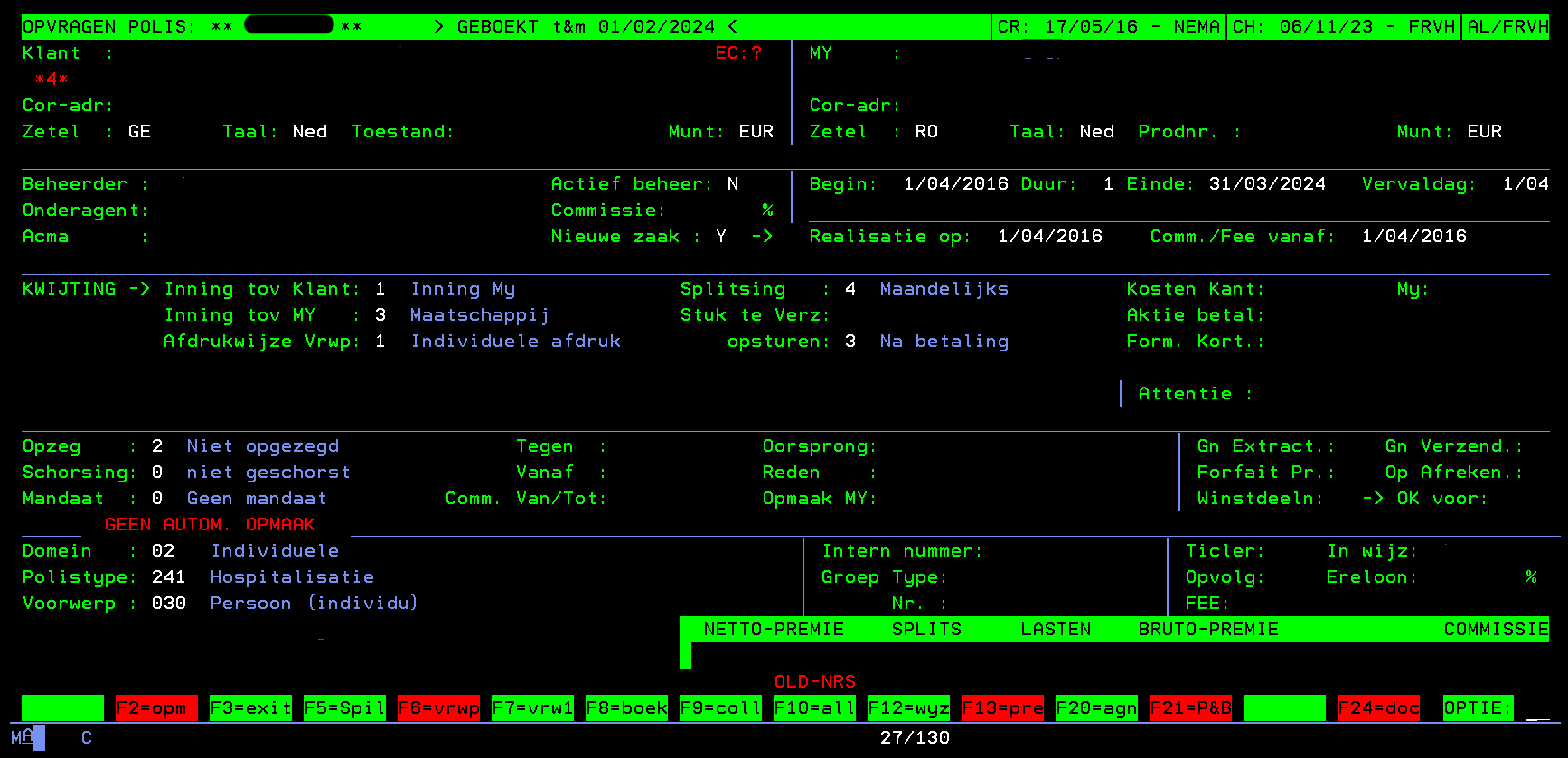
In our greenscreens we have function keys that are by default with a green background, but when there's data that will be shown when clicking them, they are red.
Is it possible to have the same style in aXes?
Kind regards,
Frederik
Re: Color of function keys
Posted: 20 Dec 2023, 01:02
by Fre_Vdh
Hi,
Just had a quick meeting with Lansa in which was said that it may be possible to do this via a Global Rule that changes every function key panel to a buttonpanel and that way we could get the hex-code of the buttons and use that color.
The person that said this, did not exactly know how to do this, but he suggested to put it on the forum and maybe some clever person would know a solution.
All my hope is on you guys

Kind regards,
Frederik
Re: Color of function keys
Posted: 20 Dec 2023, 12:57
by Fairdinkum
Hi Frederik,
I might be able to do that. Can you share the screenshots for my better understanding?
Regards,
Hide from Fairdinkum
Re: Color of function keys
Posted: 20 Dec 2023, 17:59
by Fre_Vdh
Hi,
This is the policy screen where you can see that 5 function keys are red:
- Polis - green screen.png (25.05 KiB) Viewed 303678 times
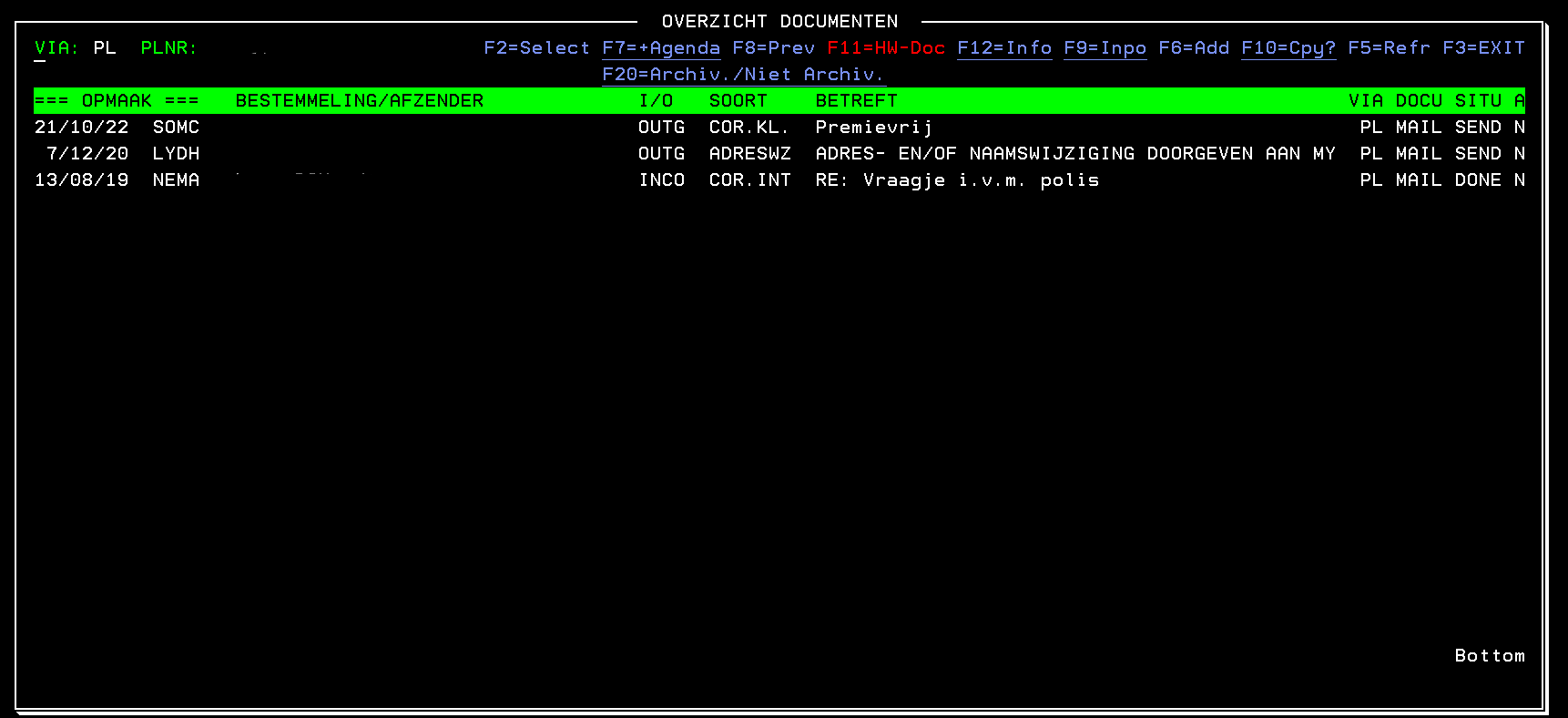
When you click on F24=doc, a window opens and there you can see that one function key is red:
- Documenten - green screen.png (10.78 KiB) Viewed 303678 times
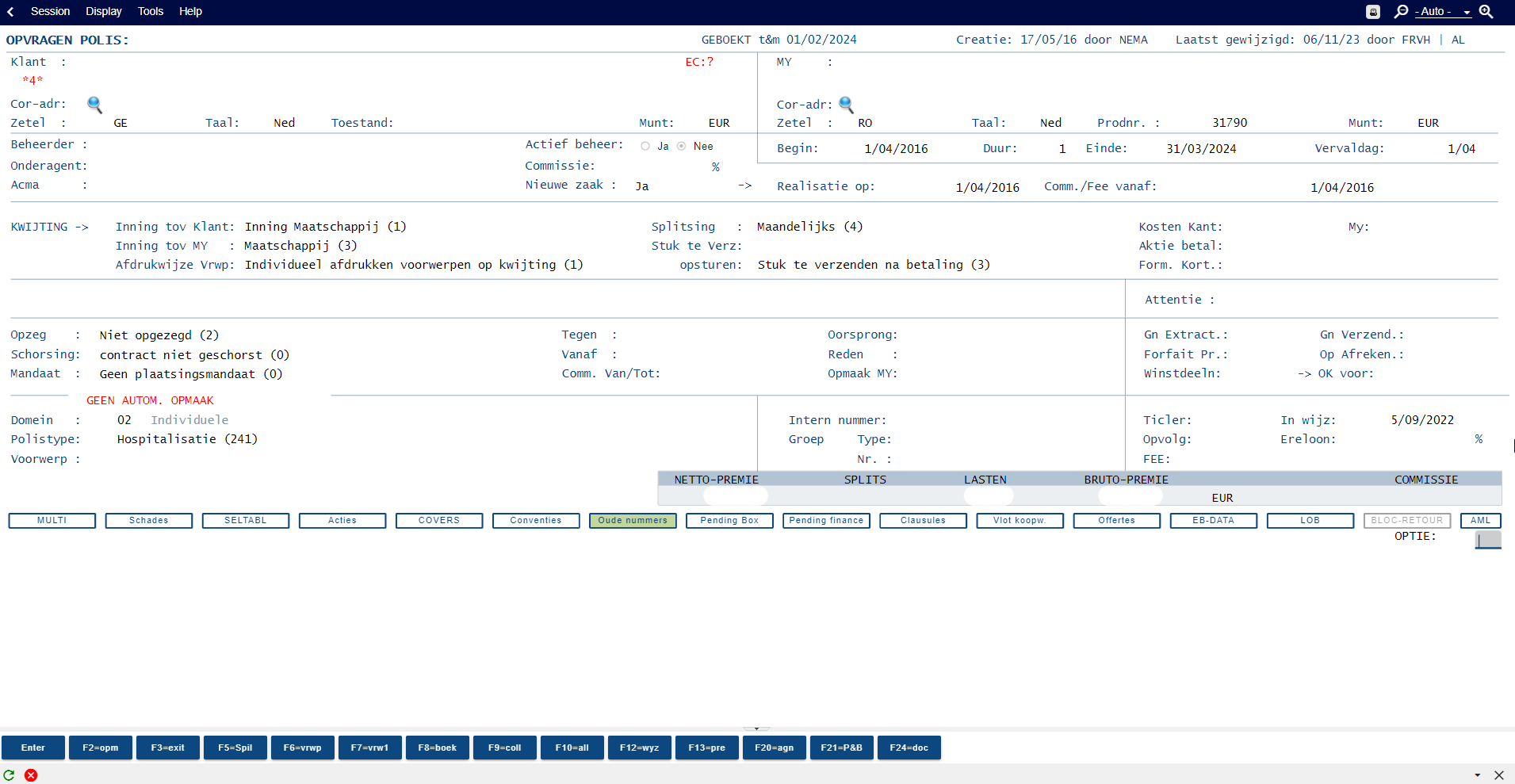
The lay-out in aXes from the policy screen is:
- Polis - aXes.png (64.94 KiB) Viewed 303678 times
We would like the same function keys to be in a different color (red).
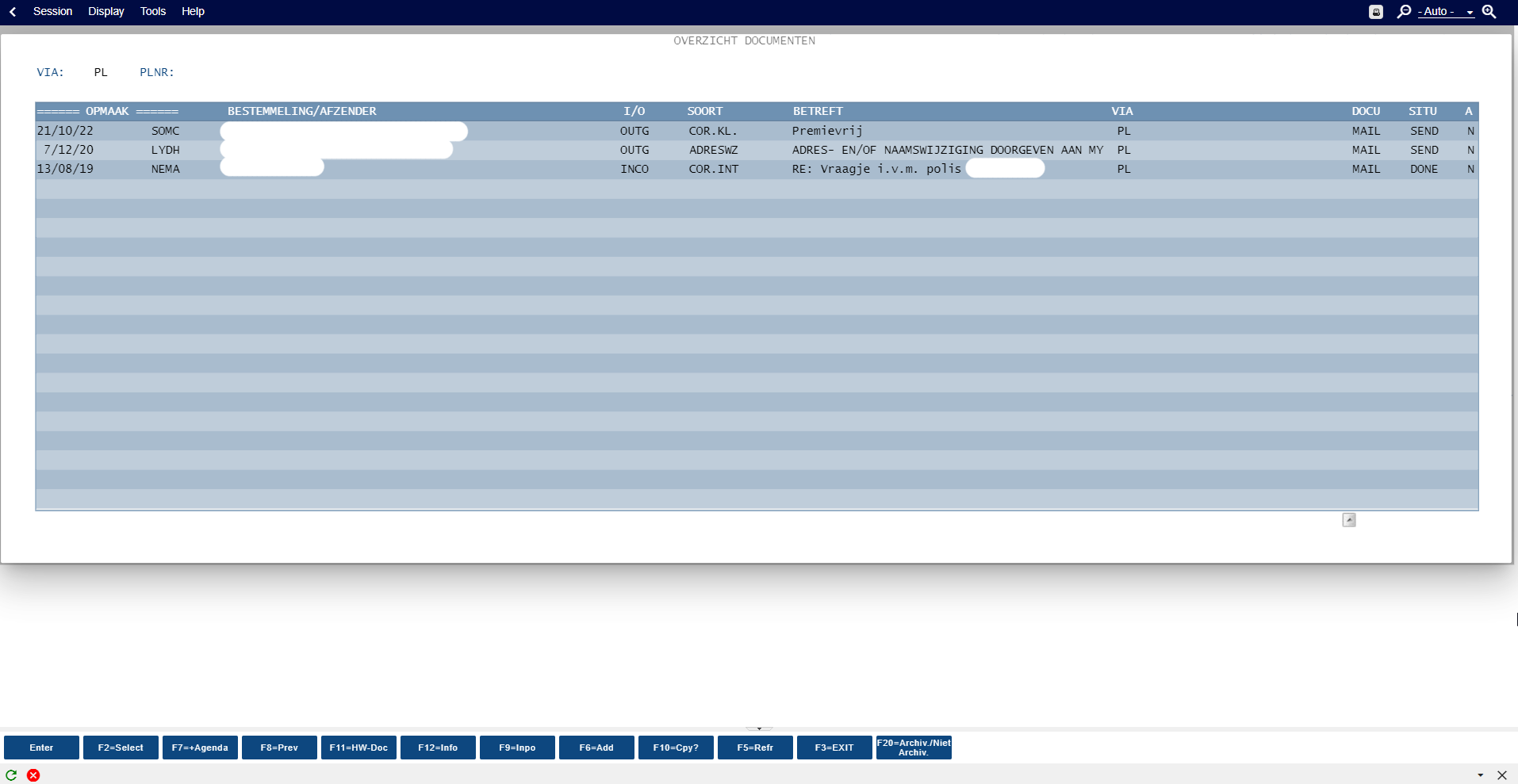
This is the aXes screen when you click F24=doc:
- Documenten - aXes.png (37.07 KiB) Viewed 303678 times
Kind regards,
Frederik
Re: Color of function keys
Posted: 20 Dec 2023, 18:54
by Fairdinkum
Hi Frederik,
Can you try this when you have time?
(1) add the following code into autoGuiFkey's basic style.
---> ax_customeautoguifkey class will be added into a container DIV of autoGuiFkeys.
(2) set "outlined" to autoGuiFkey's buttonStyle.
(3) add the following Application.style.
Code: Select all
name... e.g. customAutoGUIFkeyStyle
styleFor... html
htmlTag... dummy, div.ax_customeautoguifkey button
style... {top: -1px !important;height: 18px !important;background-color: inherit !important;}
*top and height settings are just for its look and feel. So you can try without those css first.
I got the following results.

- Image 015.png (9.68 KiB) Viewed 303831 times

- Image 021.png (9.12 KiB) Viewed 303831 times
Hope this helps.
Regards,
Hide
Re: Color of function keys
Posted: 20 Dec 2023, 19:14
by Fre_Vdh
Hi,
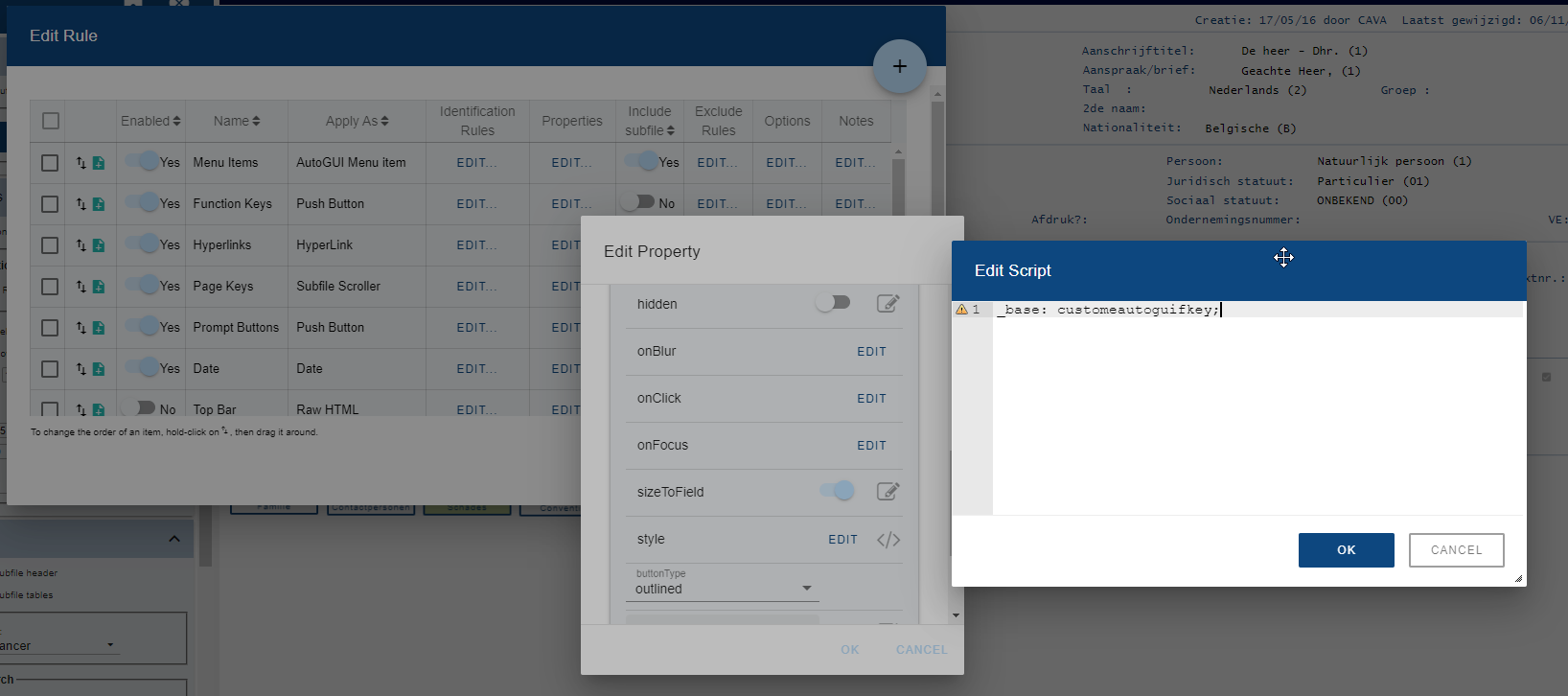
(1) Is that here? I get the yellow triangle there...
- 1 (1).png (78.15 KiB) Viewed 303676 times
(2) ok
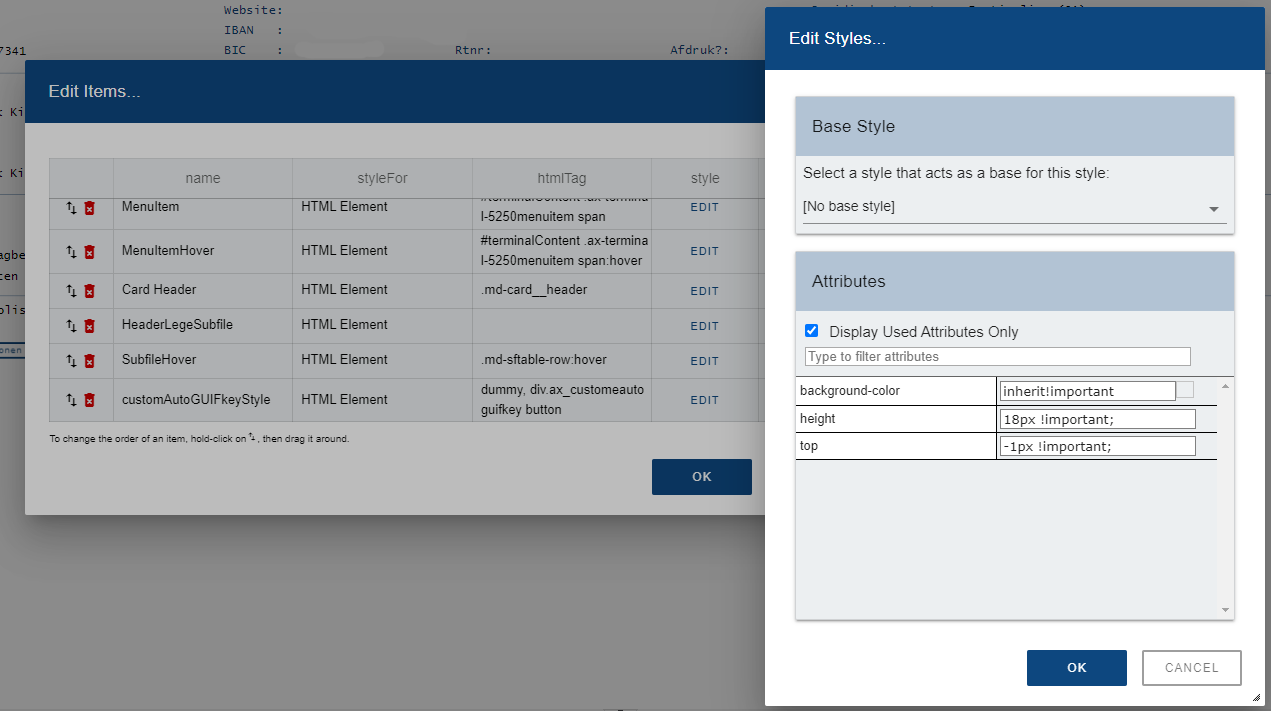
(3) I can't type it all after each other, is it good like this?
- 2 (1).png (43.38 KiB) Viewed 303676 times
Re: Color of function keys
Posted: 20 Dec 2023, 20:09
by Fairdinkum
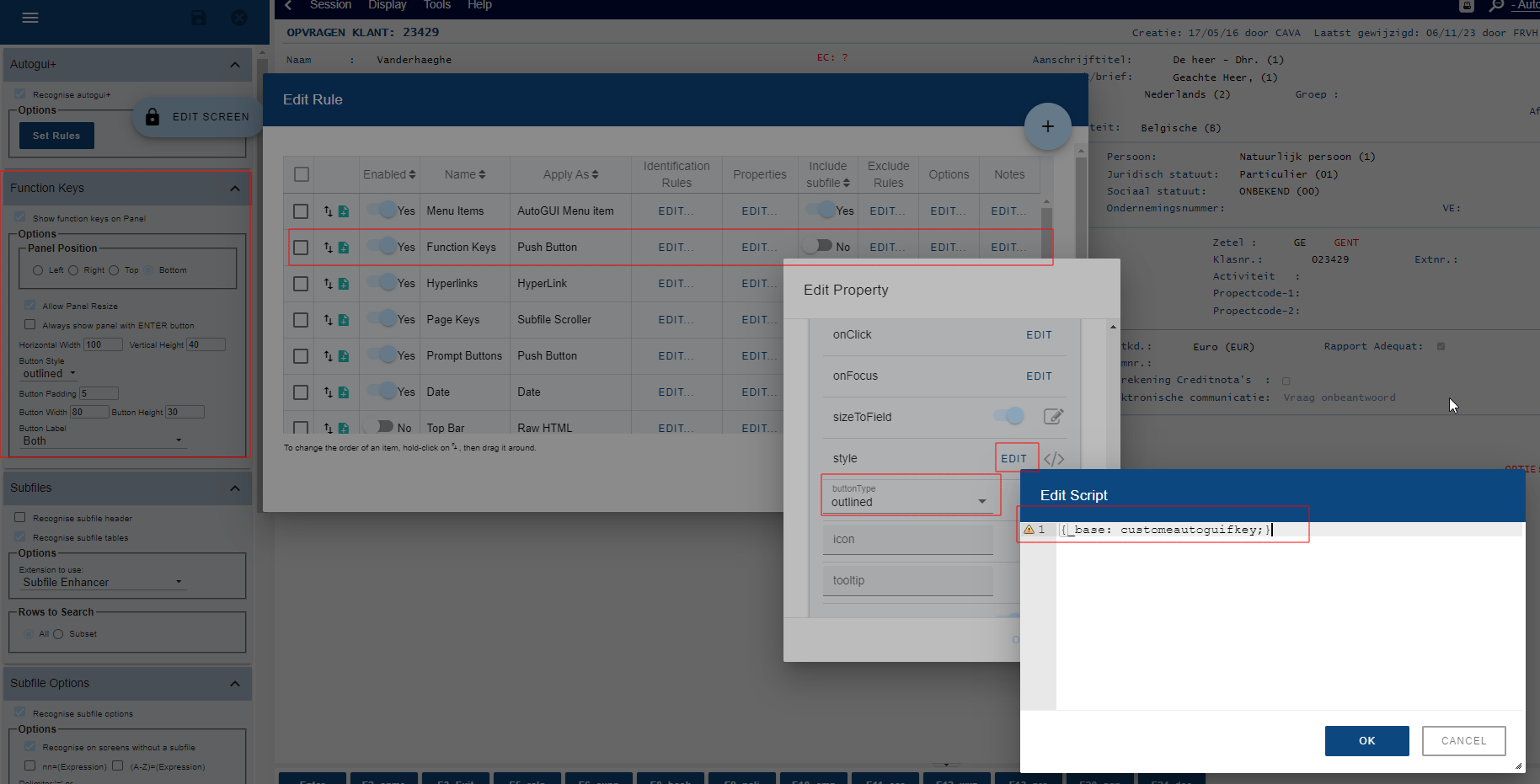
(1) should be inside {}.
(3) if still not working, change the interface property in Application.Style to json.
Regards,
Hide
Re: Color of function keys
Posted: 20 Dec 2023, 20:22
by Fre_Vdh
Hi,
(1) is still with the triangle:
- 1 (2).png (113.47 KiB) Viewed 303671 times
(3) it worked to insert with changing to json.
Re: Color of function keys
Posted: 20 Dec 2023, 20:30
by Fairdinkum
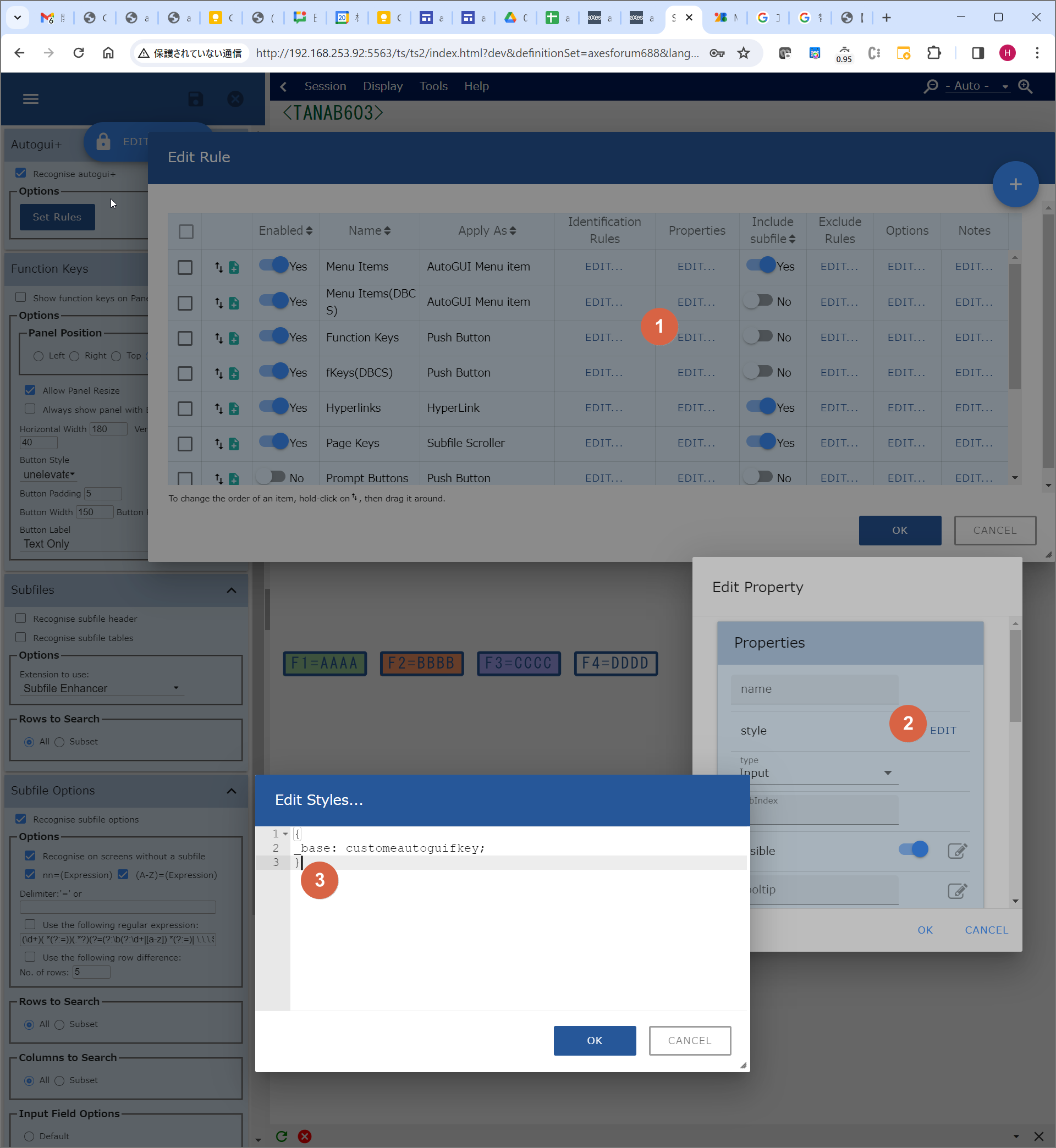
Try this:
- Image 022.png (294.54 KiB) Viewed 303825 times
Regards,
Hide
Re: Color of function keys
Posted: 20 Dec 2023, 20:41
by Fre_Vdh
Hi,
Now I could fill it in, but it's still all blue keys.
The styles is correctly filled in? I tried leaving out the top and height like you suggested.
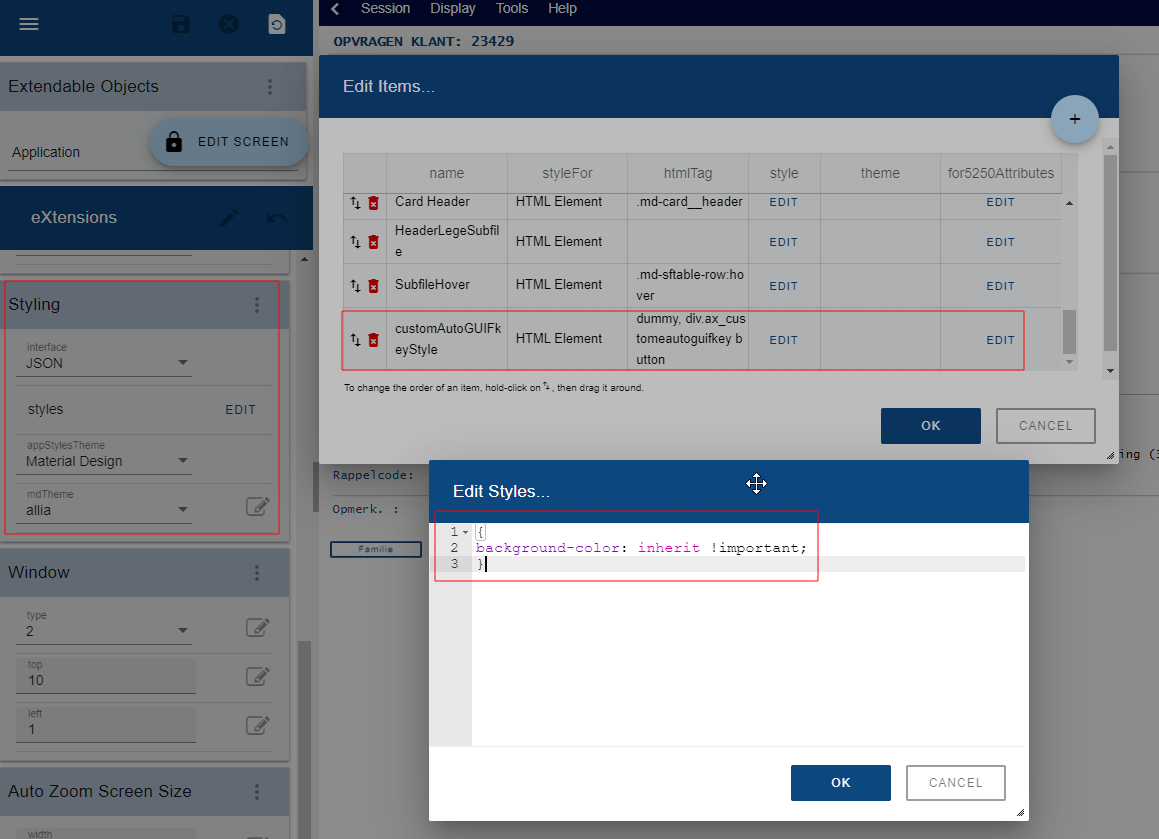
- styles.png (65.34 KiB) Viewed 303669 times