Page 2 of 3
Re: Color of function keys
Posted: 20 Dec 2023, 21:06
by Fairdinkum
That's weird.
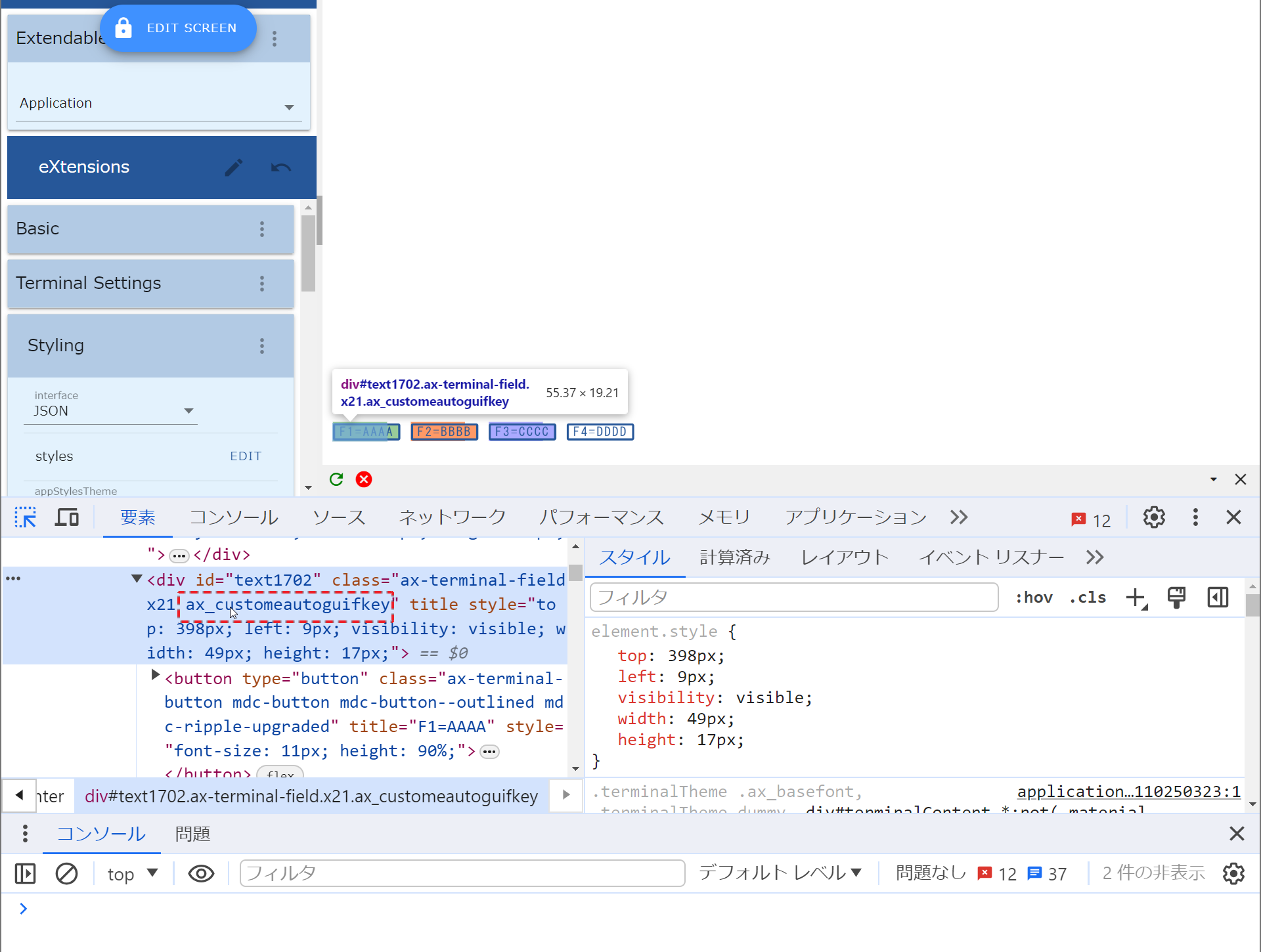
Can you check if the class "ax_customeautoguifkey" is there in a container DIV like shown below.
- Image 023.png (216.28 KiB) Viewed 140407 times
Note: if top and height are removed, it appears like above. The container DIV height is bit larger than the button.
If it exists there, the CSS selector "div.ax_customeautoguifkey button" should work.
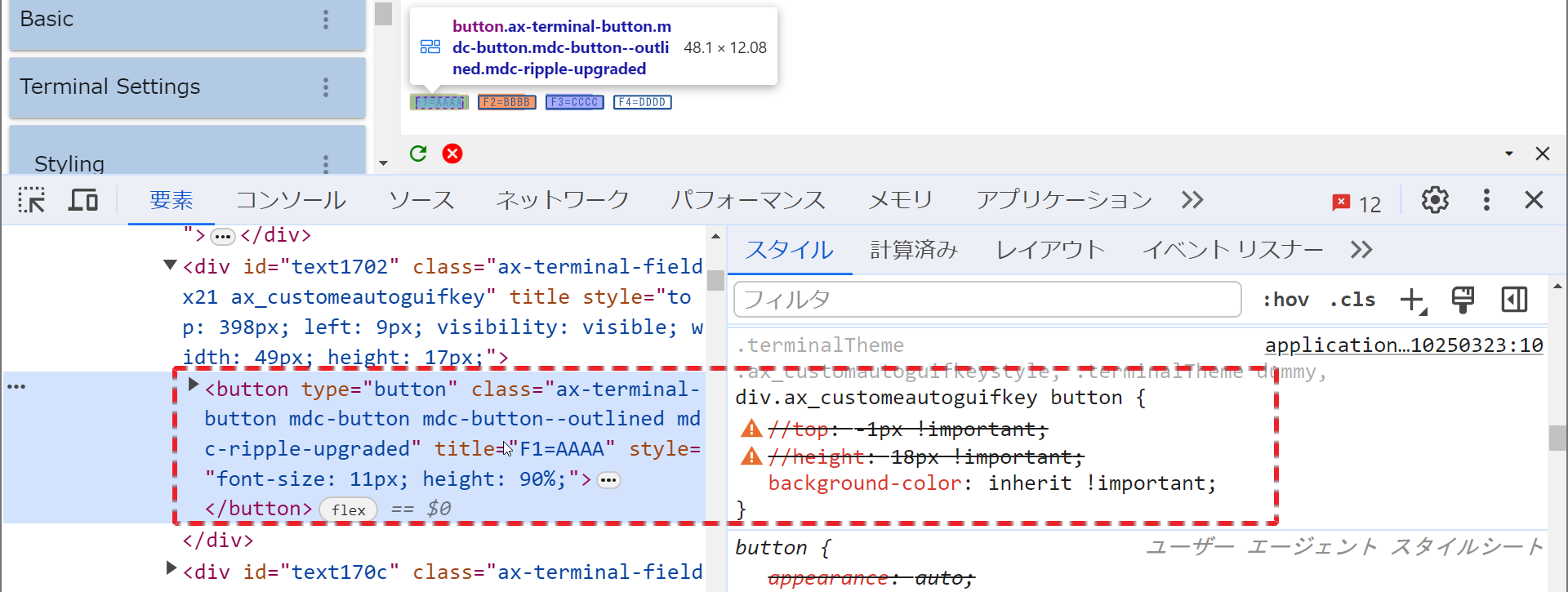
- Image 024.png (181.86 KiB) Viewed 140407 times
Regards,
Hide
Re: Color of function keys
Posted: 20 Dec 2023, 21:11
by Fre_Vdh
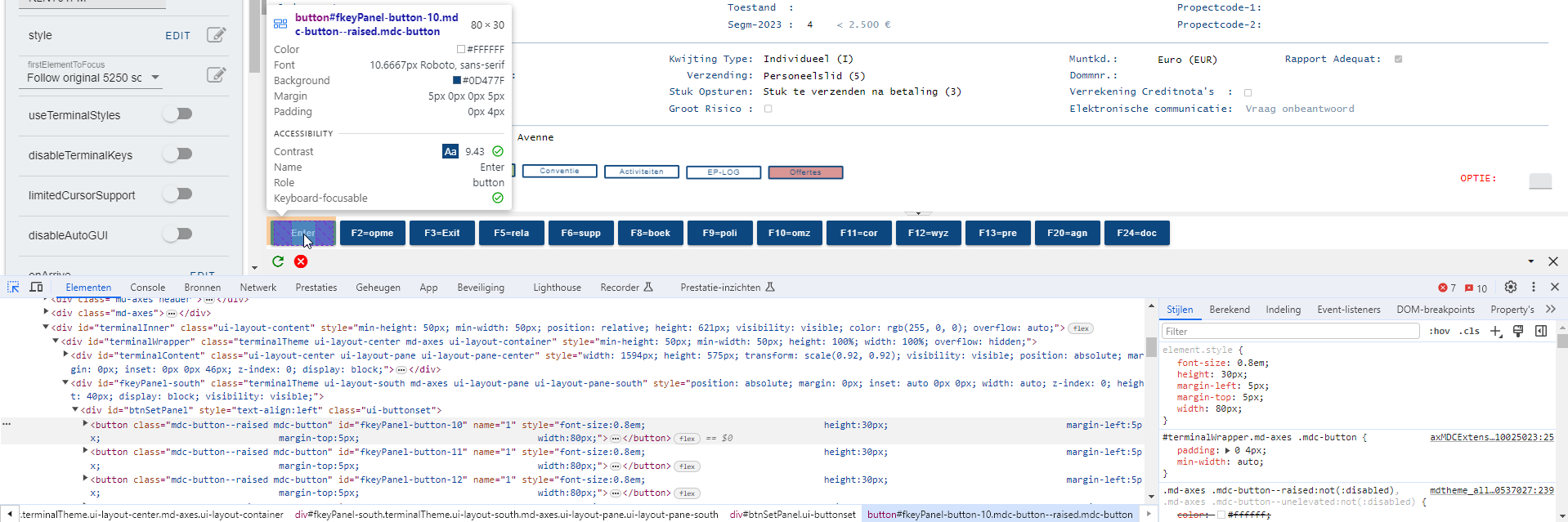
No it's not... we are using Material Design, I don't know if it has to do something with that?
- properties.png (104.58 KiB) Viewed 140240 times
Re: Color of function keys
Posted: 20 Dec 2023, 21:21
by Fairdinkum
Oh I see, you used the fKey panel extension. That's the difference between you and myself. I will try using the fKey panel as well tomorrow. Or it will work once the fKey panel is removed, I presume.
Regards,
Hide
Re: Color of function keys
Posted: 21 Dec 2023, 10:24
by Fairdinkum
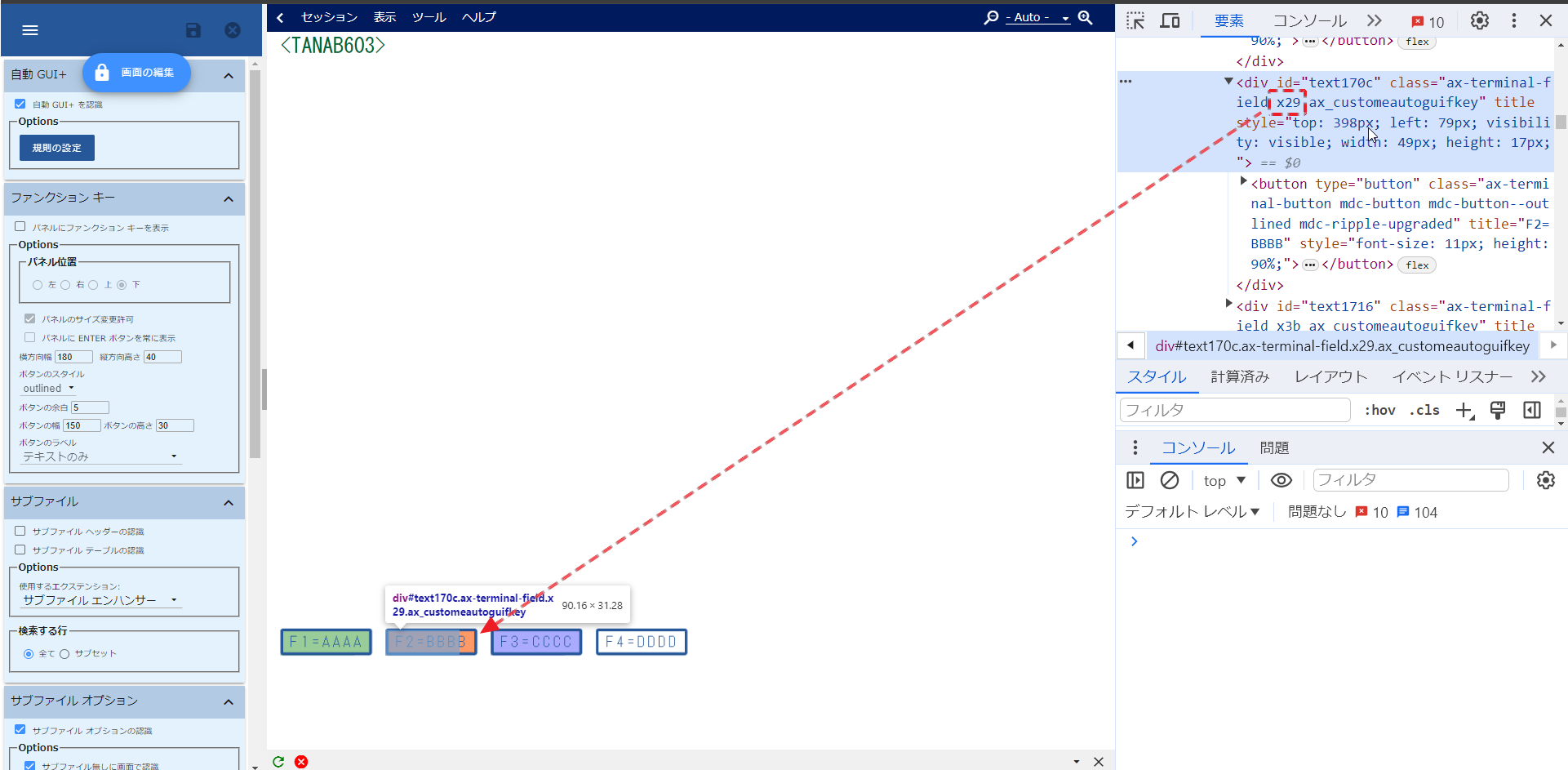
If it's "normal" autoGui button, it has a class linked to DSPATR. In case as shown below, "x29" represents COLOR(RED) DSPATR(RI).
- Image 025.png (140.76 KiB) Viewed 140389 times
COLOR(RED) + DSPATR(RI)
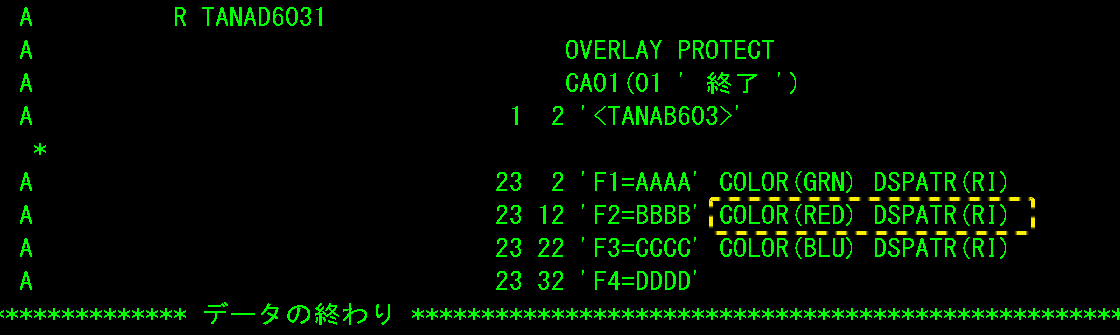
- Image 027.png (10.01 KiB) Viewed 140389 times
On the other hand, fKeys in fKey panel don't have the information about DSPATR...
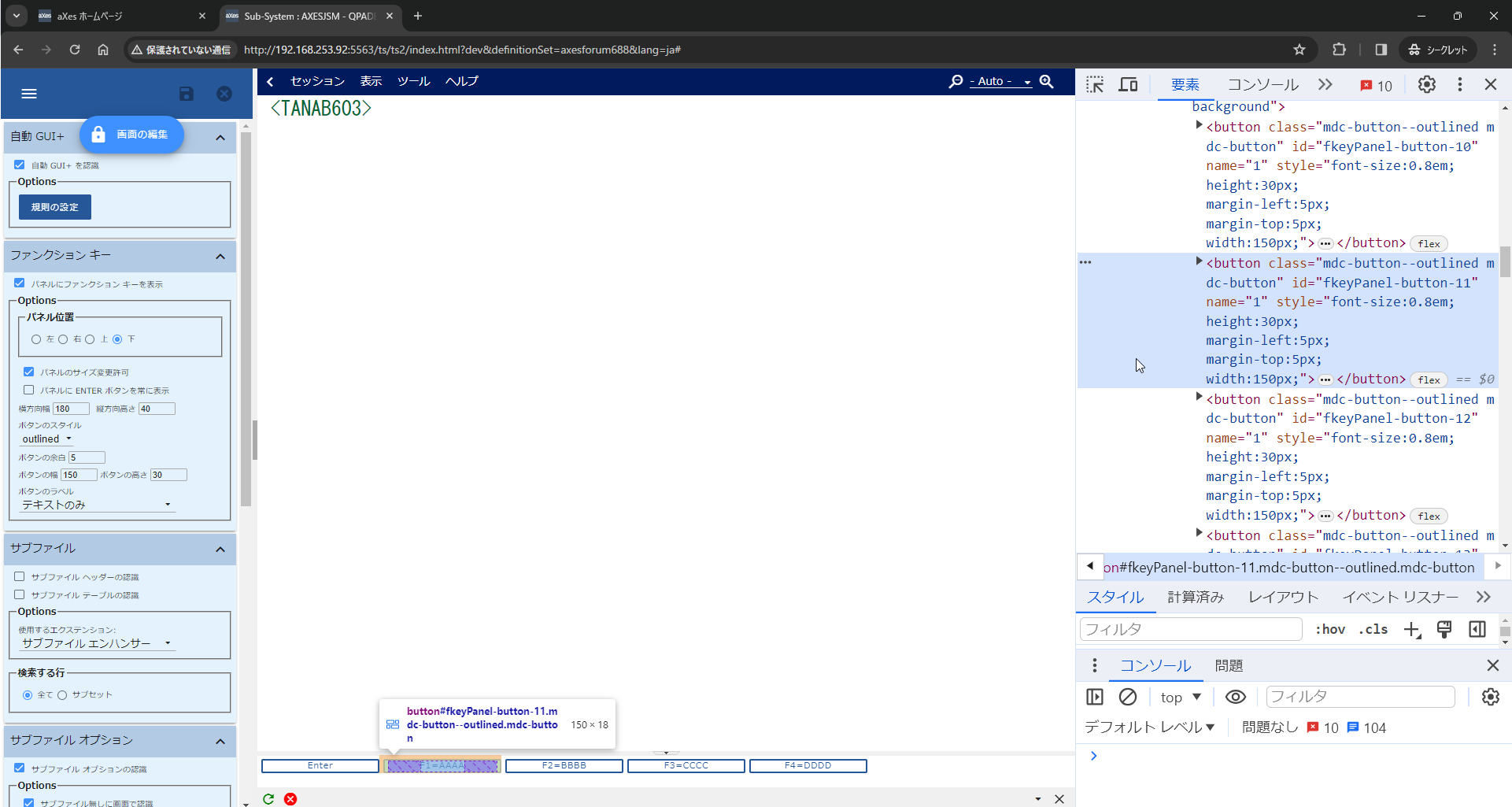
- Image 026.png (146.92 KiB) Viewed 140389 times
So I think there are two options.
1. use "normal" autoGui fKey button.
2. ask Lansa to enhance this portion.
Regards,
Hide
Re: Color of function keys
Posted: 21 Dec 2023, 17:08
by Fre_Vdh
Hi,
Thanks for investigating this, but the result is as we thought.
It's impossible to start changing all the screens that have been made so far, so I guess we'll have to wait on Lansa to make this.
Unless it's possible to change the fKeyPanels to "normal" autoGui buttons in one action?
Kind regards,
Frederik
Re: Color of function keys
Posted: 21 Dec 2023, 17:50
by Fairdinkum
Hi,
Try unchecking "Show function keys on Panel.
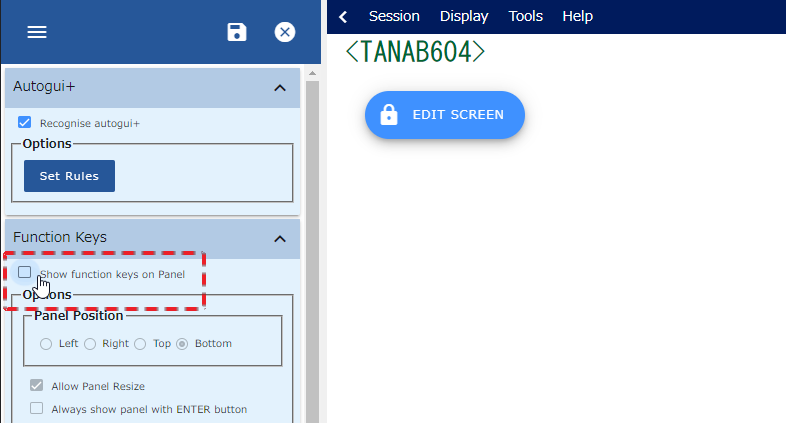
- Image 033.png (26.5 KiB) Viewed 140384 times
Regards,
Hide
Re: Color of function keys
Posted: 21 Dec 2023, 18:05
by Fre_Vdh
The screens that haven't been edited yet now show the function keys on the screen itself, and in a function key panel (that's automatically added apparently).
On the existing screens I only see the function key panel.
Re: Color of function keys
Posted: 21 Dec 2023, 18:14
by Fairdinkum
Oh I see. It happens here too. Orz
Re: Color of function keys
Posted: 21 Dec 2023, 18:46
by Fairdinkum
Found a solution.
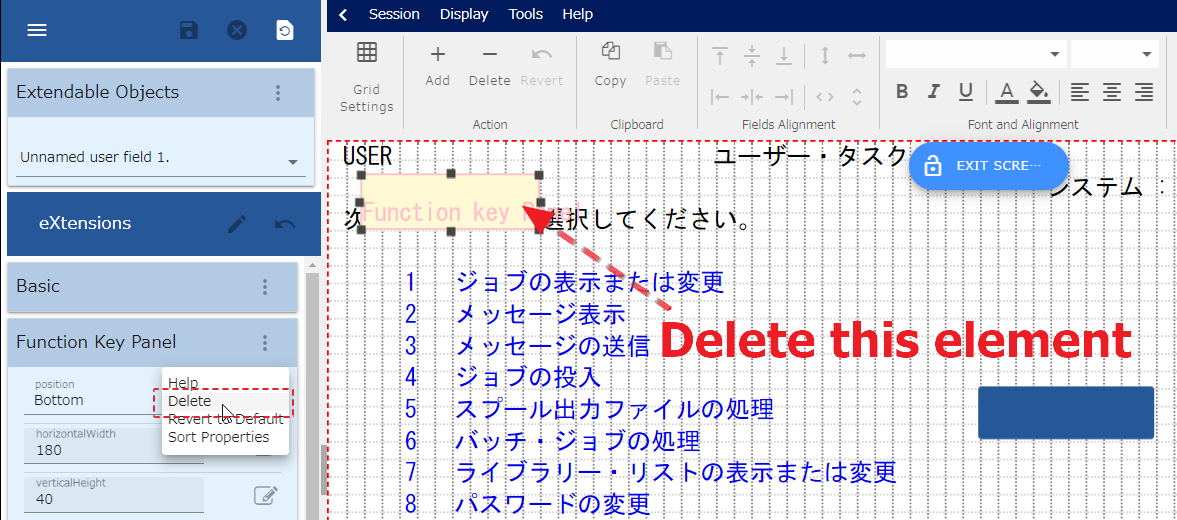
- Image 035.png (135.14 KiB) Viewed 140381 times
Re: Color of function keys
Posted: 21 Dec 2023, 19:02
by Fre_Vdh
I would have to do that on every screen then...
But I'm giving it a try for this screen to see what happens, maybe something can be found so that it can be a bit automised.
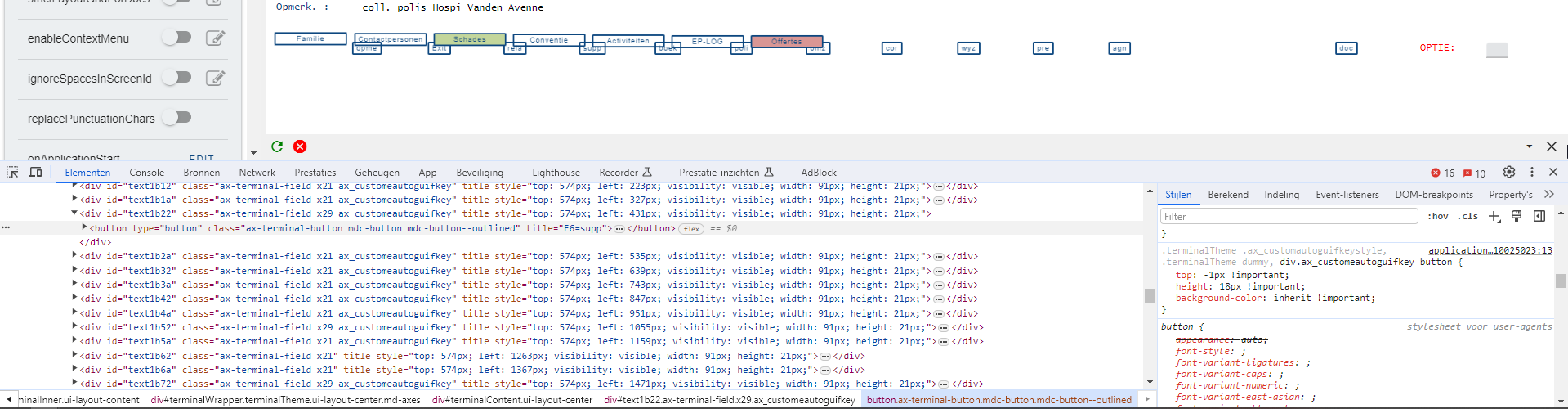
The div around the button ("supp") now gets the ax_customeautoguifkey class, but the style is not taken over. If you look at the right box, you see that the css is also shown. I tried changing the 'inherit' to #F12345 and then all the buttons got a color.
- button.png (99.2 KiB) Viewed 140649 times