Hi Shumpei,
What you need to do is create a keyboard mapping that use those keys as indicated, actually, remove the special use of those keys.
Instructions are here:
https://axesdocs.lansa.com.au/index.php ... lib2FyZCJd
Basically, the steps were:
1) copy or create another xml map. I decided to copy the existing map as400keymap.xml with the name numericboardkeymap.xml. Note that the default map is actually the windows map, maybe I should have use that one... before doing the copy, I did a cd '/axes420/ts' , so directory '.' is already pointing to '/axes420/ts' , and I put the owner parameter in *keep to keep the existing authority and no mess with that:
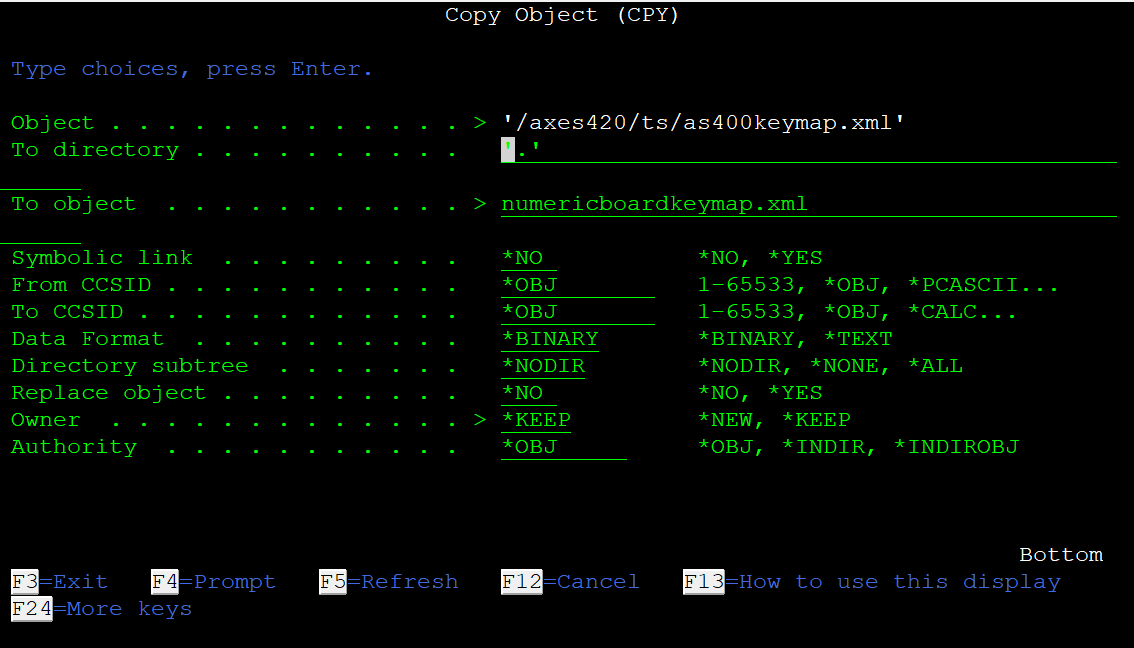
- axeskeymap01.png (28.47 KiB) Viewed 4084 times
2) once you have done that, you can edit that numerickeyboardkeymap.xml and per the instructions in the previous link, I removed what I don't need, in this case the lines that assign a special use to NumPlus and NumMinus
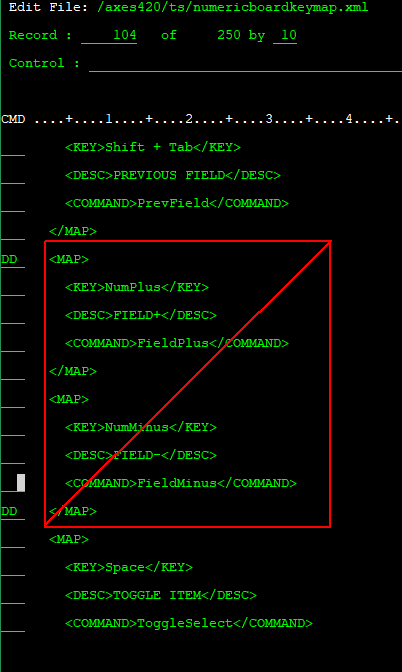
- axeskeymap02.png (15.65 KiB) Viewed 4084 times
3) once saved, restarted my axes session, and pick the numericboardkeymap.xml in the menu under keyboard maps. Note that using it in this way, axes will remember the last keyboard map used, but you could also change the default map per the instructions. I think makes more sense to have this as an additional map to use when needed.
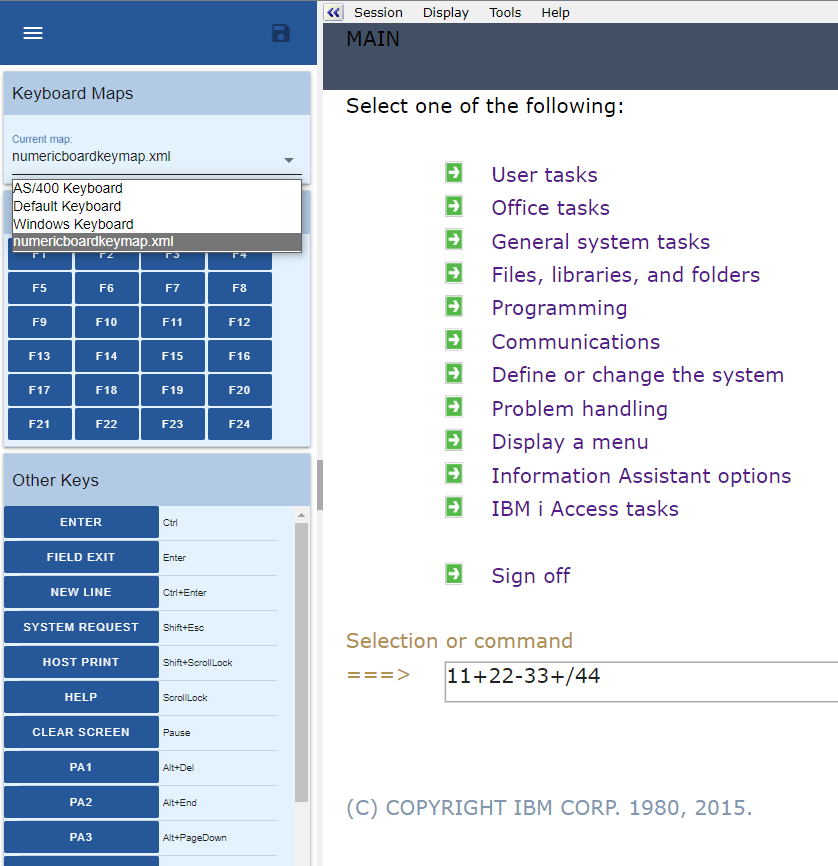
- axeskeymap03.png (87.95 KiB) Viewed 4084 times
it works fine!