Page 1 of 1
axMessageHandler how to move that to a variable?
Posted: 08 Feb 2022, 02:46
by Dino
Hi
If you add an axMessageHandler extension in aXes to the screen, you can capture things like for example when a user enters a decimal point in a numeric field that doesnt support it:
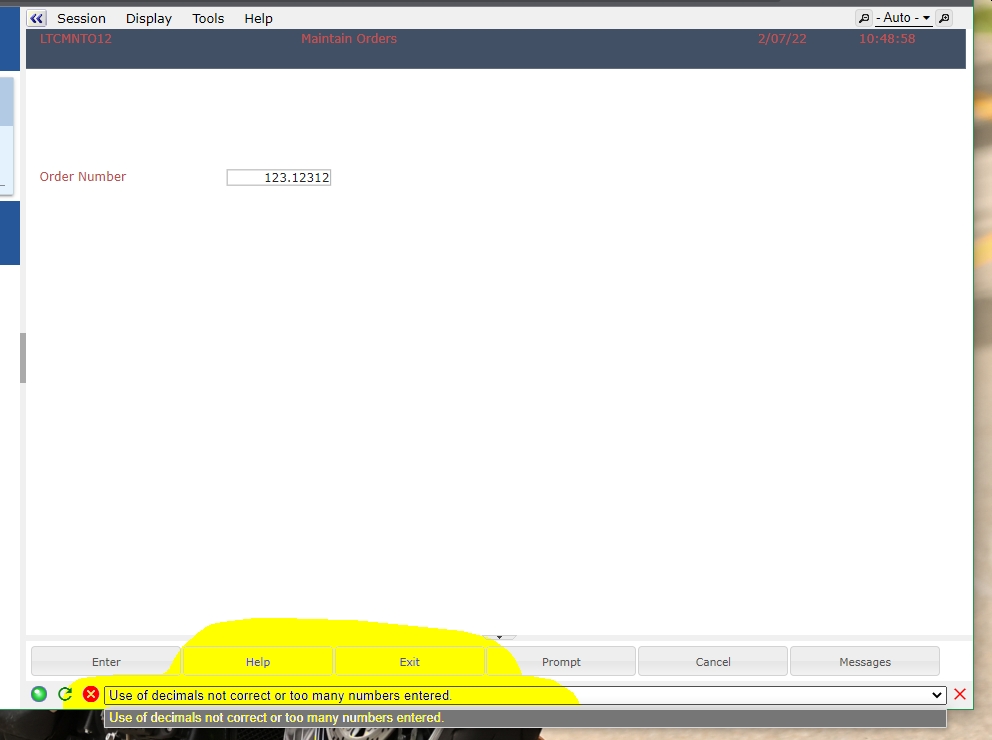
- msg01.jpg (104.27 KiB) Viewed 30393 times
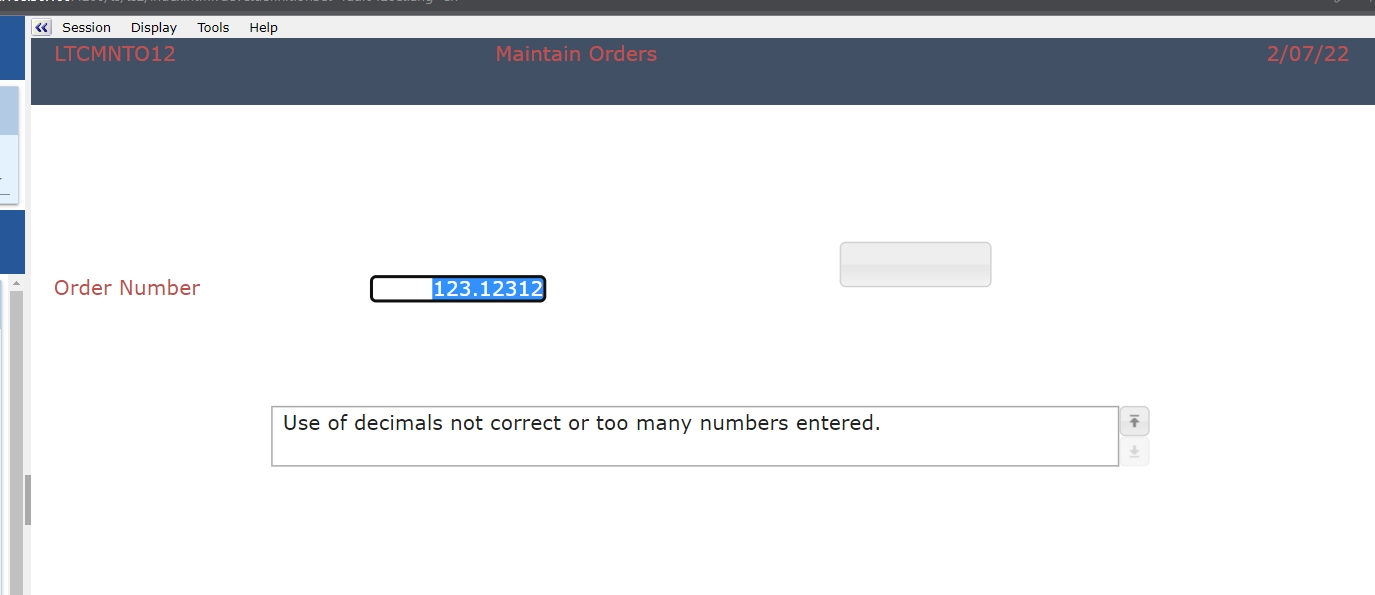
- msg02.jpg (70.35 KiB) Viewed 30393 times
adding a name to that extension, and addTerminalMsg check makes it available in the screen, but how can you capture the value inside that to use for something else? I tried FIELDS("Mensaje").getValue() but that didn't work, most likely because is not just one string, but an array... so, how can you capture that value?
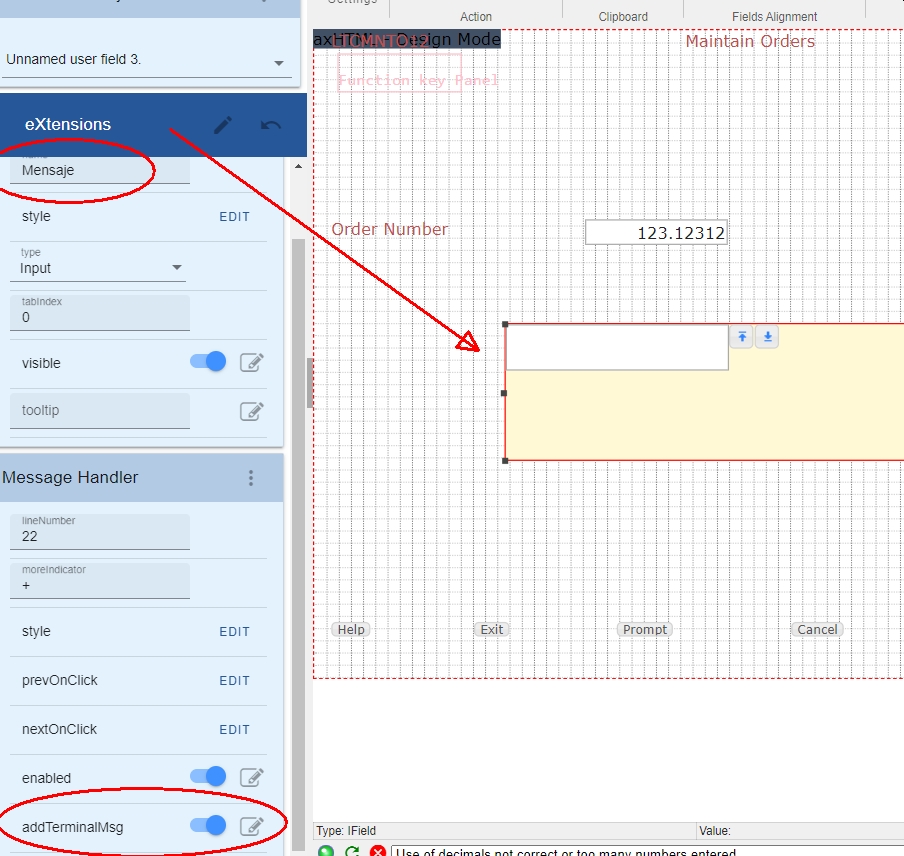
- msg03.jpg (364.52 KiB) Viewed 30393 times
thank you
Re: axMessageHandler how to move that to a variable?
Posted: 10 Feb 2022, 00:54
by Dino
Well, I decided to go in a different direction to get this value. As the divs and different tags are already identified, if you see the source of the screen using the "developer tools" in the browser, you can see the names of everything, and this section is called "terminalMessages"
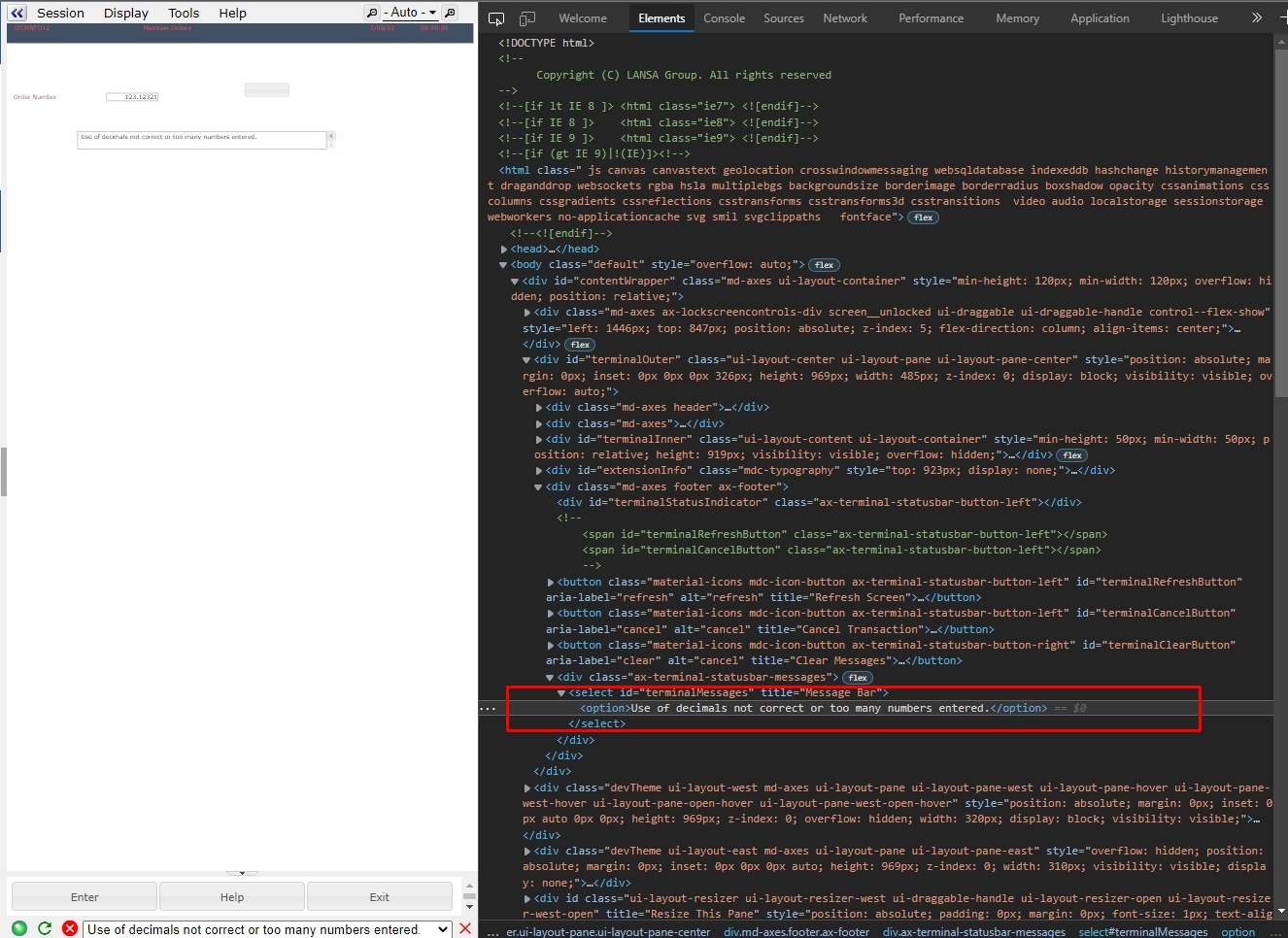
- div3_2.jpg (519.08 KiB) Viewed 30380 times
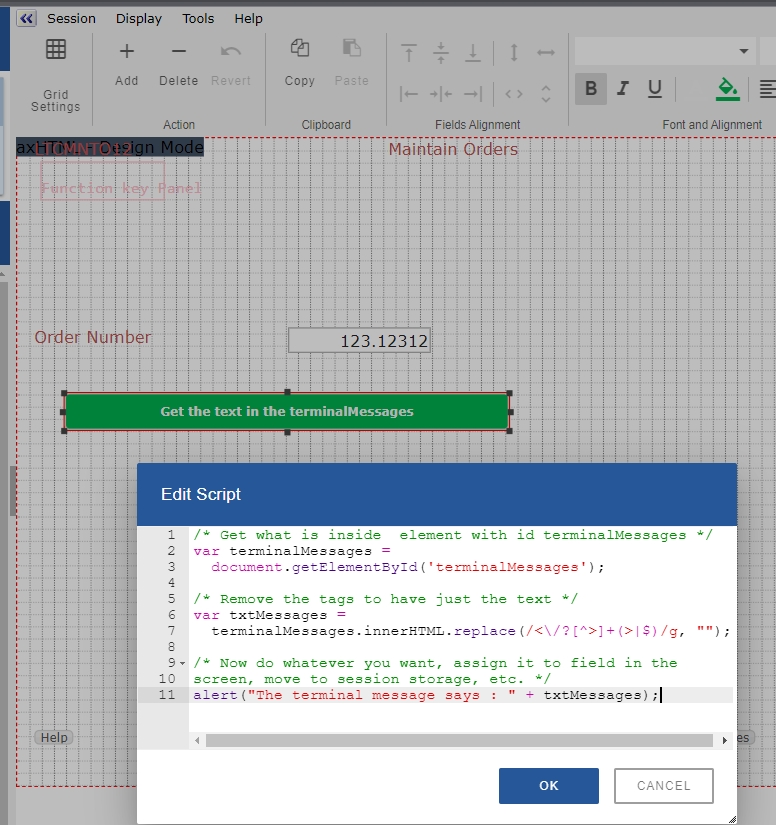
So a script like this, can retrieve what is inside that tag, but because in this case the text returns with an <option> tag around it, I just used a little replace regex to remove the tags from it.
- div3_2s.jpg (329.51 KiB) Viewed 30380 times
Code: Select all
/* Get what is inside  element with id terminalMessages */
var terminalMessages =
  document.getElementById('terminalMessages');

/* Remove the tags to have just the text */
var txtMessages =
  terminalMessages.innerHTML.replace(/<\/?[^>]+(>|$)/g, "");

/* Now do whatever you want, assign it to field in the
screen, move to session storage, etc. */
alert("The terminal message says : " + txtMessages);
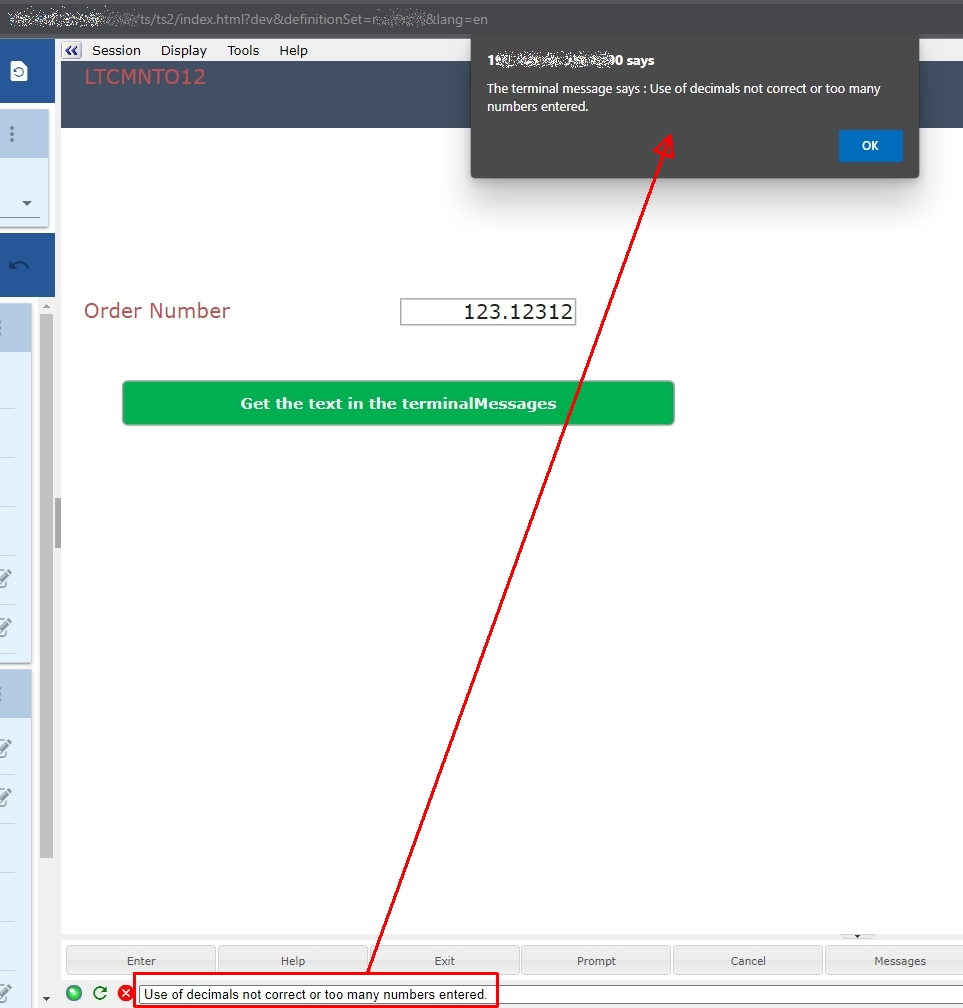
to get this final result:
- div3_2x.jpg (138.75 KiB) Viewed 30380 times
Re: axMessageHandler how to move that to a variable?
Posted: 11 Jan 2024, 14:32
by tim mcentee
Hi Dino
Rather than mucking around with regex to strip the out html tags just use the object you created to find the children.
terminalMessages.children[0].innerHTML
or
terminalMessages.childNodes[0].innerHTML
If the messages are empty then there won't be any children so you would need to do a null check first.
If there are multiple messages then you could loop through the children to get each message. For multiple message using the regex will strip the html and the messages will be joined on one long string.
Tim