Page 1 of 1
Set Cursor to Row
Posted: 18 Nov 2021, 16:31
by eduardorama
Is there an equivalent of this in axes?
SETCURSORTOROW(iRow, iColumn)
See:
https://docs.lansa.com/15/en/lansa050/i ... 0_0985.htm
Re: Set Cursor to Row
Posted: 19 Nov 2021, 01:54
by Dino
I dont know about one for the row, column, but you have one to set the 5250cursor in an identified field in the screen.
I would try that approach first.
So if you screen identify for example CPU column caption as CPU and Function column caption as FUNCTION in this wrkactjob scren:
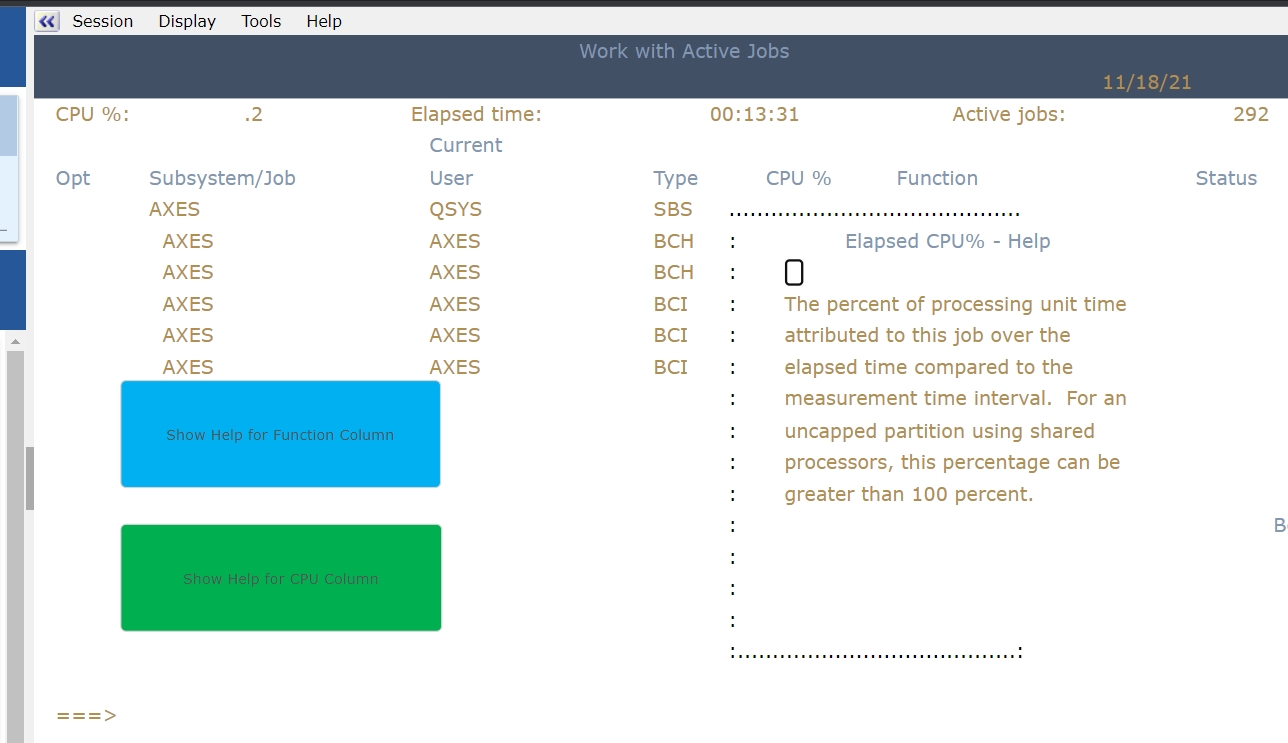
- setcursoraxes.jpg (192.19 KiB) Viewed 11969 times
you can add buttons to show the help for the columns with this code in the click action:
Code: Select all
FIELDS("CPU").set5250Cursor();
SENDKEY("F1");
or
Code: Select all
FIELDS("FUNCTION").set5250Cursor();
SENDKEY("F1");
Re: Set Cursor to Row
Posted: 19 Nov 2021, 09:39
by eduardorama
Thanks Dino.
However, the problem is that, the field I'm trying to point to is an 'empty' output field and somehow axes can't recognise it (I can't name it).
So the only thing I can think of is to position the cursor.
Re: Set Cursor to Row
Posted: 19 Nov 2021, 23:53
by Dino
Are you trying to capture the value in that output field for the times when is not there? if so this may help.
I had before the need to capture the value in a field, that sometimes was in the screen, sometimes it wasn't. So when the field is in the screen, you identify the screen, identify the field (in my case SALARY) but then in the script before retrieving the value you need to check first if the field exist or not, before doing anything. For example in this test program, depending on the input in the first screen, the second one will have or not the SALARY field. if you go to screen identification, in the case of NO salary, you don't have the field SALARY there.
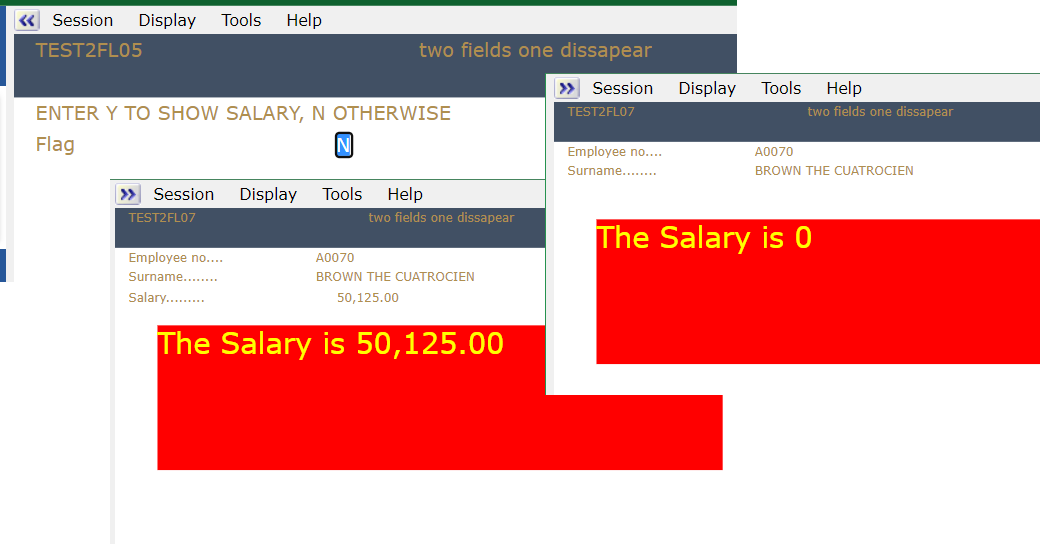
- axesnofield1.png (34.56 KiB) Viewed 11958 times
I added here a Label extension, named it LABEL1 and this script for the OnScreenReady of the LABEL1 to set his value:
Code: Select all
if (FIELDS("SALARY") !== null)
   var salary = FIELDS("SALARY").getValue()
else
   var salary = 0;
FIELDS("LABEL1").setProperty("text", ("The Salary is " + salary));
FIELDS("LABEL1").refresh();
Re: Set Cursor to Row
Posted: 22 Nov 2021, 10:00
by eduardorama
Hi Dino,
Normally, that's what I would do. But in this case, the output field does have a prompt and this prompt is the only way the output field gets filled.
Right now, i can't name the field because i can't get pass to the point where the prompt will appear.
Here's what it looks like:
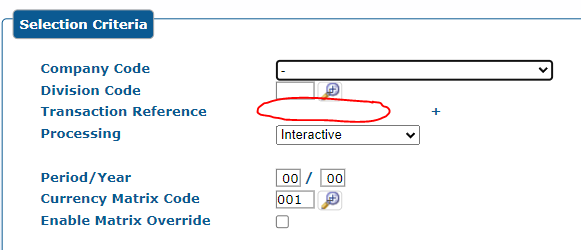
- prompt issue.PNG (11.68 KiB) Viewed 11936 times
in green screen it looks like this:

- 5250 screen.PNG (6.18 KiB) Viewed 11936 times
placing the cursor to the output field and pressing f4 will pop up this:
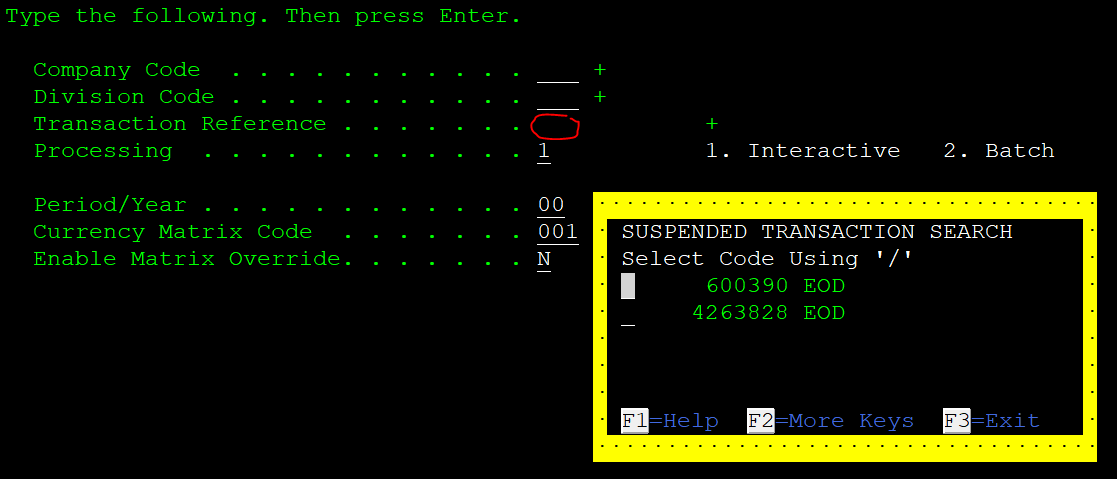
- 5250 screen 2.PNG (25.73 KiB) Viewed 11936 times
Selecting value from prompt will then fill the output field

- value.PNG (4.53 KiB) Viewed 11936 times
Re: Set Cursor to Row
Posted: 24 Nov 2021, 00:37
by Dino
The SET5250CURSORPOS(10, 20); seems to be working fine to set the cursor position in a row, column, if you first go to the screen, click extensions and enable the limitedcursorsupport.
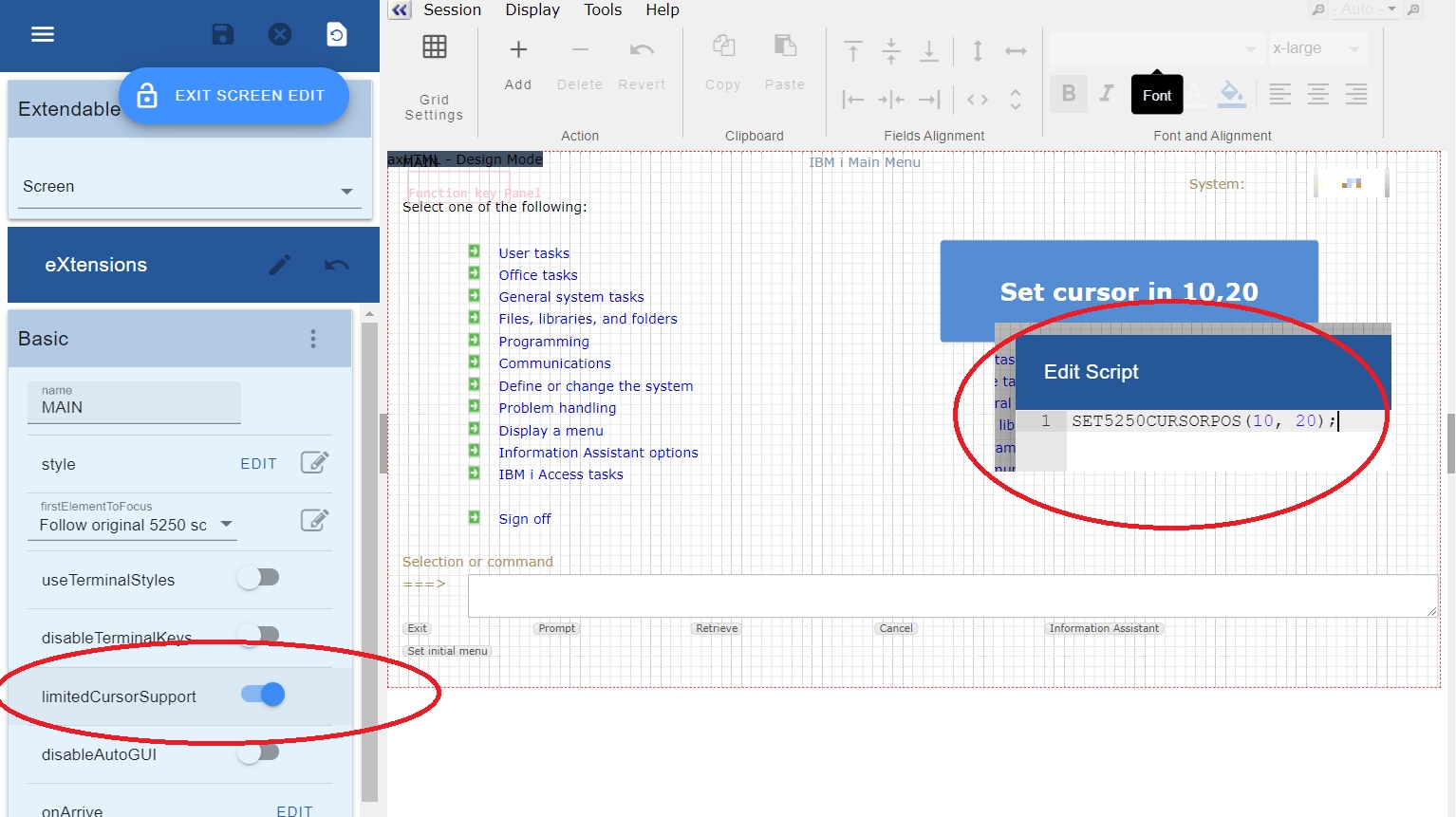
- axesset5250cursorpos.jpg (578.71 KiB) Viewed 11919 times
there is a brief mention to that command here:
https://axesdocs.lansa.com.au/index.php ... 9ycG9zIl0=
Re: Set Cursor to Row
Posted: 24 Nov 2021, 10:14
by eduardorama
Thanks Dino, This is exactly what I was looking for.
It works now.
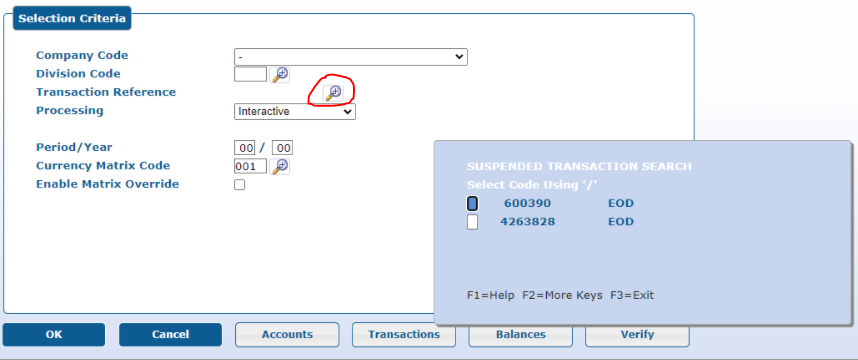
- setcursor.PNG (65.35 KiB) Viewed 11910 times
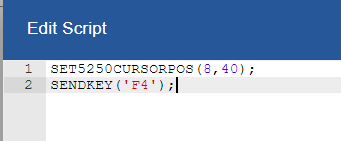
- script.PNG (3.38 KiB) Viewed 11910 times
The 'limitedCursorSupport' toggle is only for display of the cursor and the code works even without it.