Page 1 of 2
SslPort for AXESJSM
Posted: 17 Mar 2021, 22:40
by RobCol
Hello ,
I need to configure AXESJSM on an SSL secure port, I performed these steps:
1- I have created a certificate in DCM
2- I created a server application called "AXES_APP_ID"
3- I have associated the certificate to the application
4-I modified the configuration file /axesjsm/jsm/instance/system/httpd.xml as follows:
<listen port="5563" interface="*ALL" backlog="256" sslport="5564" sslappid="AXES_APP_ID"
sslprotocol="TLSV1.2" secure="false" store="pki/wwwssl.jks" password="password"
buffersend="-1" bufferreceive="-1" nodelay="false" timeout="5"/>
restarted the AXESJSM subsystem,
but only the port 5563 responds in http and not in https on 5564
thank you for helping me
regards
Re: SslPort for AXESJSM
Posted: 22 Mar 2021, 10:23
by Fairdinkum
Hi RobCol,
I've conirmed that AXESJSM is running on SSL/TLS secure connection with a *self-signed* certificate for testing.
1. ===> QSH
2. then execute the following Java keytool command to generate the keystore (/axesjsm/jsm/instance/pki/wwwssl.jks) and the key pairs.
Code: Select all
keytool
  -genkeypair
  -alias sslkey
  –keyalg RSA
  -keysize 2048
  -sigalg SHA256withRSA
  -dname "CN=192.168.253.102,OU=aXes Team,O=Fairdinkum,L=Asakusabashi,S=Tokyo,C=JP"
  -ext san=ip:192.168.253.102
  -validity 9999
  -keypass password
  -keystore /axesjsm/jsm/instance/pki/wwwssl.jks
  -storepass password
  -v
3. edit the AXESJSM configuration file (httpd.xml) like the following.

- Image 484.png (145.56 KiB) Viewed 22205 times
*If my understanding is correct, AXESJSM allows secure/non-secure port execlusively. So it seems sslport parameter in AXESJSM (v4.2.0) is no longer available.
4. export the certificate file.
Code: Select all
keytool
-exportcert
-alias sslkey
-keystore /axesjsm/jsm/instance/pki/wwwssl.jks
-storepass password
-file /axesjsm/jsm/instance/pki/axes.cer
-v
5. install it (axes.cer) into a trusted root CA on your PC.
6. re-start AXESJSM subsystem. If the steps above have been done correctly, the secure connection will be established.
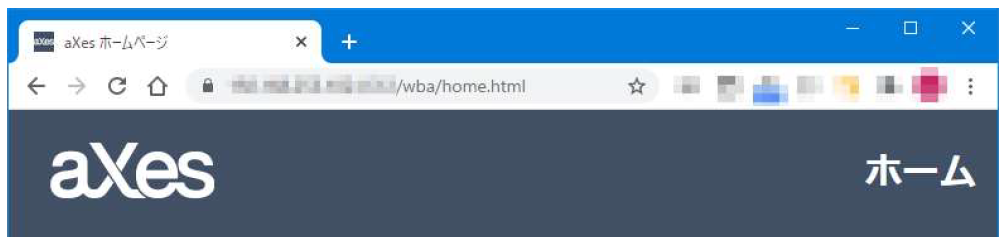
- Image 485.png (84.75 KiB) Viewed 22205 times
Hope this helps!
Regards,
Hide
Re: SslPort for AXESJSM
Posted: 23 Mar 2021, 18:27
by RobCol
Hi Fairdinkum,
Thanks for your help, I ran your commands and got stuck with this error :
keytool -exportcert -alias sslkey -keystore /axesjsm/jsm/instance/pki/wwwssl.
jks -storepass password -file /axesjsm/jsm/instance/pki/axes.cer -v
errore keytool (probabilmente non tradotto): java.io.EOFException
maybe it depends on the java runtime version or maybe permissions I don't know, the keystore was created successfully ...
Thanks again
Re: SslPort for AXESJSM
Posted: 23 Mar 2021, 19:23
by Fairdinkum
Hi RobCol,
You can check the key store you made earlier by the following command:
Code: Select all
keytool
-keystore "/axesjsm/jsm/instance/pki/wwwssl.jks"
-list
-storepass password
-v
> /home/<USERNAME>/list.txt
If the key pairs and the keystore were generated correctly there should be an lias "sslkey" in list .txt.
Regards,
Hide
Re: SslPort for AXESJSM
Posted: 23 Mar 2021, 20:38
by RobCol
You are great Fairdinkum!!!

There was an error in the keystore, I redid everything and it generated correctly!
It works !!
Fantastic Thank you so much !!!

Re: SslPort for AXESJSM
Posted: 23 Mar 2021, 21:17
by Fairdinkum
Hi RobCol,
Great news! I'm happy I can help you.
Thanks.
Regards,
Hide (from Fairdinkum)
Re: SslPort for AXESJSM
Posted: 31 Mar 2021, 02:57
by RobCol
hello Fairdinkum,
I ask for your help again, to configure ssl port in a production environment and use a valid certificate, how do the steps to follow change? Do I need to import the certificate into the directory?
Thanks so much !
Re: SslPort for AXESJSM
Posted: 31 Mar 2021, 19:32
by Fairdinkum
Hi RobCol,
We just experienced the same situation and have dealt with it. What we did are as follows.
1. Generate a self-certificate in JSM. (Same steps as previously)
2. Create CSR using the self-certicate.
3. Create local CA on IBMi so that generating a signed-certificate to the CSR.
4. Import the signed-certificate into the AXESJSM key store (wwwssl.jks).
*Clients have to install the local CA's certificate into their PC.
*For the production environment, CSR should be sent to "real" CA, and receieve the signed-certificate.
1. Generate a self-certificate in JSM
Code: Select all
keytool
-genkeypair
-alias sslkey
–keyalg RSA
-keysize 2048
-sigalg SHA256withRSA
-dname "CN=192.168.253.102,OU=WilComm/aXes Team,O=Fairdinkum,L=Asakusabashi,S=Tokyo,C=JP"
-ext san=ip:192.168.253.102
-validity 398
-keypass password
-keystore /axesjsm/jsm/instance/pki/wwwssl.jks
-storepass password
-v
2. Create CSR
Code: Select all
keytool
-certreq
-alias sslkey
-keypass password
-sigalg SHA256withRSA
-keystore /axesjsm/jsm/instance/pki/wwwssl.jks
-storepass password
-file /axesjsm/jsm/instance/pki/server.csr
3. Create a local CA on IBMi and issue the signed-certificate
--->See the attached. (Sorry but it's Japanese edition. Google Lens or other apps will translate for you

4. Import the signed-certificate
Firstly, import the CA certificate into wwwssl.jks
Code: Select all
keytool
-import
-file /QOpenSys/QIBM/ProdData/SC1/OpenSSL/demoCA/cacert.x509
-alias demoCA
-keystore /axesjsm/jsm/instance/pki/wwwssl.jks
*-file option specifys the CA certificate file.
Nextly, signed-certificate.
Code: Select all
keytool
-import
-file /axesjsm/jsm/instance/pki/server.crt
-alias sslkey
-noprompt
-trustcacerts
-keystore /axesjsm/jsm/instance/pki/wwwssl.jks
*-file option specifys the signed-certificate.
Hope this helps!
Regards,
Hide
Re: SslPort for AXESJSM
Posted: 31 Mar 2021, 21:39
by RobCol
Hello Fairdinkum,
I begin to thank you very much for the excellent explanations and for the help! I'll let you know as soon as I try.
I believe I use the translator for the attachment
Thanks so much
Re: SslPort for AXESJSM
Posted: 09 Sep 2021, 00:57
by jaimosky
Hi,
I did the steps you mention here, but instead I have used Digital Certificate Manager (I did a CA and a Certificate for ldv720 signed with the CA and exported the files).
So I created the jks file
Code: Select all
keytool
  -genkeypair
  -alias sslkey
  -keyalg RSA
  -keysize 2048
  -sigalg SHA256withRSA
  -dname "CN=10.90.10.201,OU=eZollOnline,O=LDV Systema,L=Salzburg,S=Salzburg,C=AT"
  -ext san=ip:10.90.10.201
  -validity 9999
  -keypass password
  -keystore /axesjsm/jsm/instance/pki/wwwssl.jks
  -storepass password
  -v
then imported the 2 certificates
Code: Select all
keytool
-import
-file /ezollat/cert/CACERT_new.cer
-alias CA-LDV720
-keystore /axesjsm/jsm/instance/pki/wwwssl.jks

 keytool
 -import
 -file /ezollat/cert/SERVERCERT_new.cer
 -alias server-LDV720
 -noprompt
 -trustcacerts
 -keystore /axesjsm/jsm/instance/pki/wwwssl.jks
I have seen, in the import you detailed in your example you use twice the alias sslkey, but it seems not working unless you modify this alias.
I modify as you say the httpd.xml file and restart the JSM SBS.
So when I call
https://ldv720 i get an error, and when I open the certificate I see is extenden to the IP Address. It seems as the server presents not the certificate but the keyEntry(alias sslkey) instead of the trustedCertEntry(alias server-LDV720). I checked with -list the content of the jks file and there are one keyEntry and two trustedCertEntry.
I am sure I am doing something wrong, but I cannot figure out what.
Any ideas?