Page 1 of 1
Transparent pop up window
Posted: 08 Jan 2019, 02:35
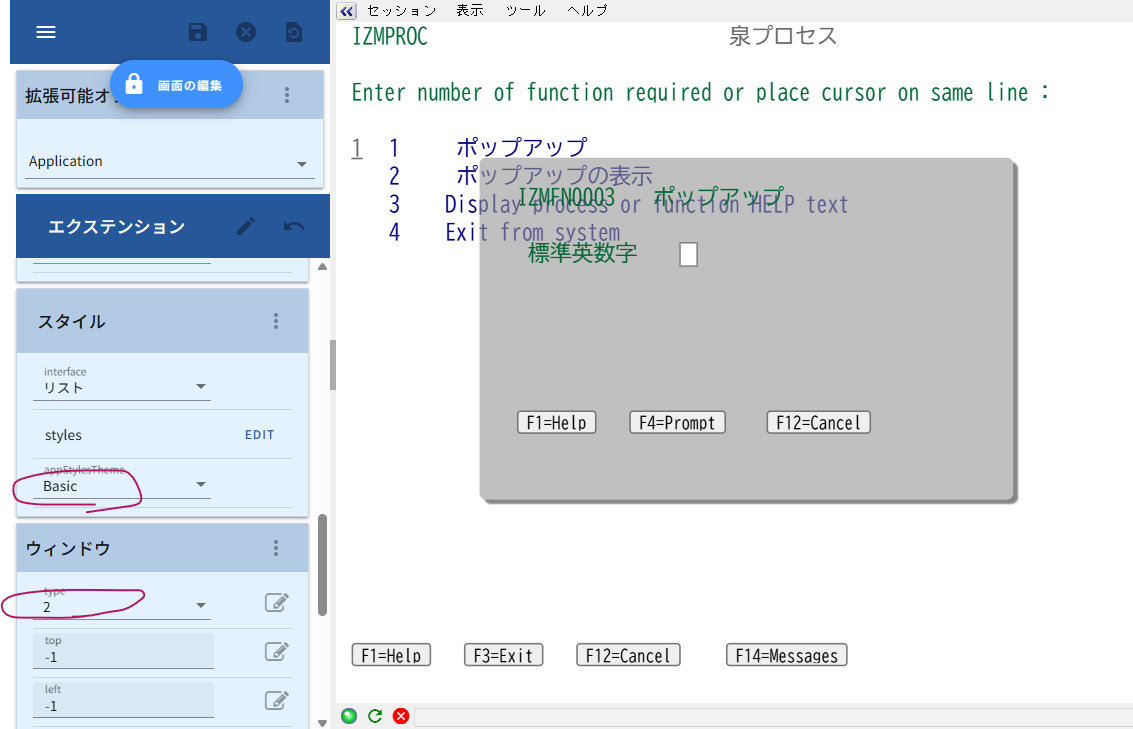
5250 pop up windows are transparent so the screen behind is visible. I have tried a few things to correct this with no success
Re: Transparent pop up window
Posted: 18 Feb 2019, 14:44
by tim mcentee
Hi Nic
Have you tried the popup settings on the url: &popups=n
0 – Off all enhanced window handling.
1 – Turns on the detection of degraded DDS windows only.
2 – Turns on the “keep the previous screen background”
behaviour only.
3 – Turns on both
Tim
Re: Transparent pop up window
Posted: 28 Mar 2019, 17:19
by Fairdinkum
Hi Nic,
I've experienced the same before. As far as I know, it happens:
- in 4.1.x.
- the project should be created in 3.1.x.
And what I do as a workaround is:
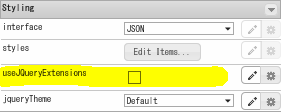
Step 1) Check useJQueryExtensions and save
- img_20190328_154923_001.png (5.27 KiB) Viewed 32115 times
Step 2) And then uncheck it and save
Step 3) Lastly clear the cache and test
I presume that projectThemes folder (and all the objects in the folder) are necessary in the project folder so that pop up windows appear correctly in 4.1.x. After Step 1 above, projectThemes folder is created in the project folder.
Hope this helps.
Best Regards,
Hidekazu Tanaka
Re: Transparent pop up window
Posted: 28 Nov 2025, 18:57
by Taku Izumi
Hi All,
I found the same issue post in a previous version.
Is there a way to fix the same issue in v4.2.1?
Preferably I can fix this while keeping the style Basic.
- PopupWindow.png (101.52 KiB) Viewed 21108 times
Re: Transparent pop up window
Posted: 04 Feb 2026, 11:18
by Fairdinkum
Hi
Add the following Application.style to your project.
Code: Select all
name...... optional (e.g., windowStyle)
styleFor... HTML Element
htmlTag... dummy, div.ax-terminal-window
style....... {
                    border: 1px solid #c9c9c9;
                    background-color: #fff;
                 }
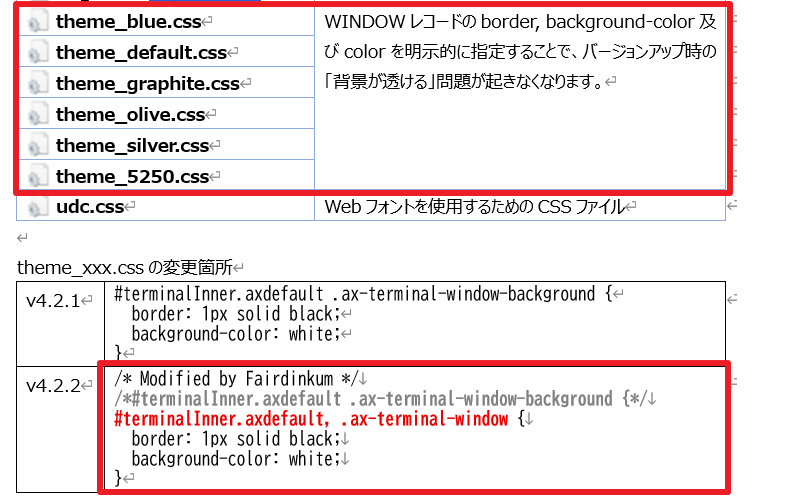
Or modifying /ts/ts2/css/*.css files as follows:
- 2026-02-04 10 13 51.png (54.52 KiB) Viewed 20900 times
Regards,
Hide from Fairdinkum